Podcast Guest Confirmation Email: Template and Checklist
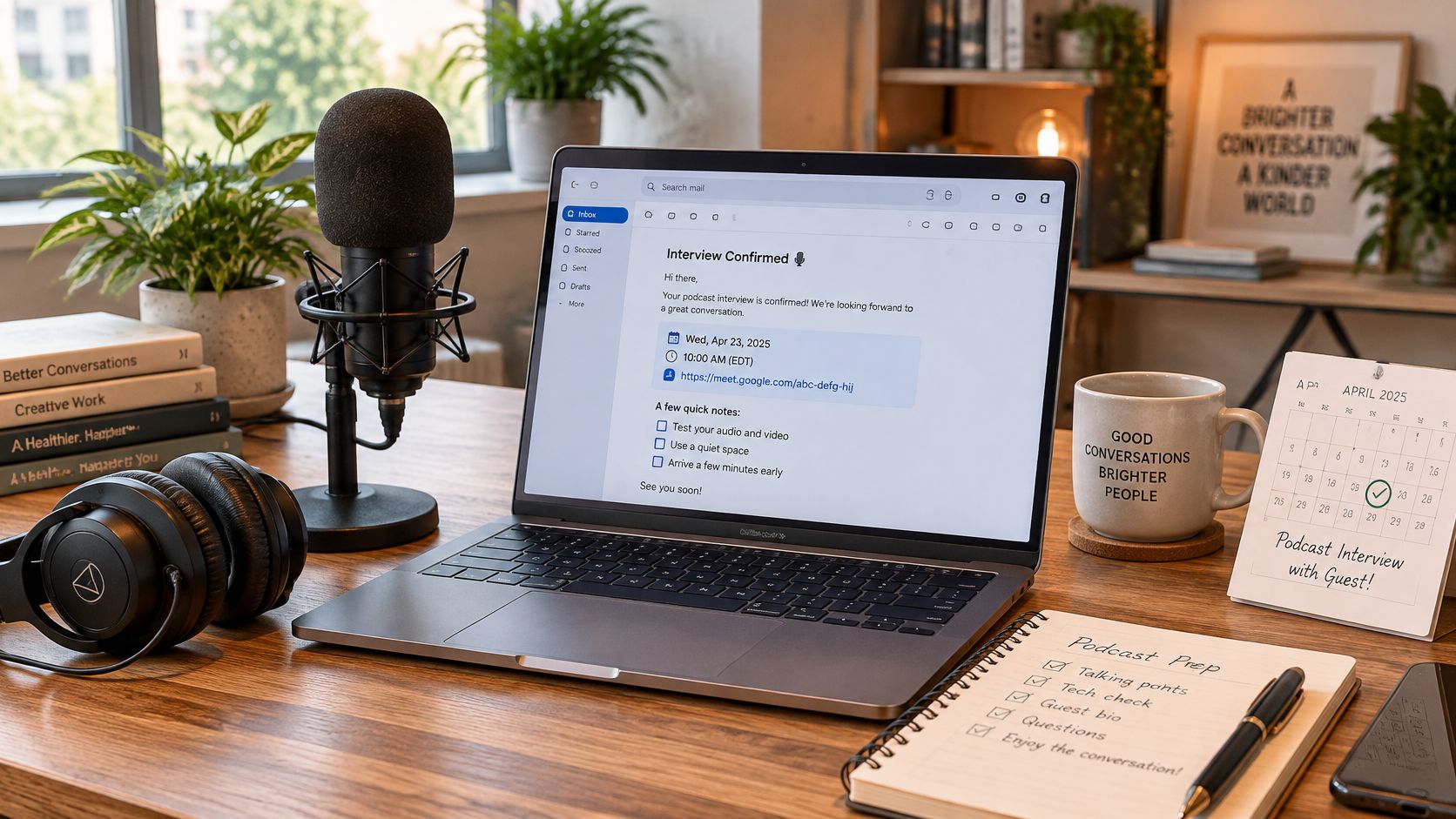
It's 10:07 on a Tuesday and the recording room is quiet. Your guest said yes three weeks ago in a thread that ended with "sounds good, see you then," and nobody wrote down a time zone. Now you're messaging a publicist in another country while your co-host tests a microphone that works perfectly.
The recording didn't fail. The confirmation did. A podcast guest confirmation email is not a courtesy note. It's the one document that survives between the yes and the record button, and it's the only place where the time, the zone, the link, the length and the consent all sit in the same place.
What follows is the email I'd send today, the checklist I'd run before sending it, the sequence around it, and the consent language most hosts leave out.
Table of Contents
- Copy-Ready Podcast Guest Confirmation Email Template
- Interview Details to Confirm and the Mistakes That Break Them
- When to Send Each Message in the Sequence
- Recording Consent to Spell Out Before Recording
- Deliverability and Following Up When Guests Stay Silent
- Send Your Next Confirmation Before the Week Ends
Copy-Ready Podcast Guest Confirmation Email Template
Start with something you can send today. The version below fits on one phone screen and answers the questions guests ask anyway, so they don't have to ask you.
Subject: Recording confirmed, [Show Name], Tuesday 14 May 2026
Hi [First name],
You're booked for [Show Name]. We record on Tuesday 14 May 2026 at 10:00 a.m. Pacific Time (Los Angeles), and I've held 45 minutes for us.
Join here: [one recording link]. Open it five minutes early and test your mic and camera on the green room screen. If the link misbehaves, call me on [phone].
What we'll cover:
- How you priced your first product
- The mistake that cost you the most in year one
- What you'd do differently on a second launch
Have ready: headphones, a quiet room, and a glass of water. Notes are welcome. A script isn't needed.
Need to move it? Reply to this email or pick a new time here: [rescheduling link], at least 24 hours before we record.
This session records audio and video, and I'll send a release form separately so you can see where the recording might appear. Reply with any question, however small.
[Your name] [Show Name] [your email and phone]
Fill the brackets before you send. Guest first name, exact date, one time zone, one link, one rescheduling link, your direct phone, and the two lines that name the show. Nothing else needs changing.
What each paragraph is doing
The subject line carries the show name and the date because the guest will search for it three weeks later among forty other emails. The first paragraph repeats the date, the zone and the duration in one sentence, which is the sentence they'll screenshot.
One link only. Two links force a choice, and the guest will choose the wrong one at 9:58.
The three bullets do the preparation work that a "let me know if you have questions" line never does. The rescheduling route sits in the body, not the footer, because a footer reads like a legal disclaimer and gets skipped.
Keep the whole email under 200 words. If yours runs long, cut the paragraph about how great your show is first. The guest has already said yes.
Interview Details to Confirm and the Mistakes That Break Them
Run this against the calendar invite before you hit send. Every row is something the guest will check, and a wrong value in any of them turns a confirmation into a rescheduling thread.
| Detail | What to write | Example | Mistake that breaks it |
|---|---|---|---|
| Date and start time | Day, date and start time in one line | Tuesday 14 May 2026, 10:00 a.m. | Time given without the day or zone |
| Time zone | Full zone name with the city, not only an abbreviation | Pacific Time (Los Angeles) | Guest joins an hour early or late |
| Duration | Expected length plus a buffer | About 45 minutes, room held for 60 | Guest blocks too little time |
| Recording link and platform | One link, tested before sending, with a backup phone number | Video call link with the platform named | Late start while the link is fixed |
| Capture type | Audio only, or audio and video | Audio and video, recorded locally | Guest surprised by a clip or an edit |
| Preparation | Anything the guest should have ready | Headphones, quiet room, episode notes | Guest unprepared, weak audio |
| Reschedule route | Reply option or booking link in the first paragraph, with a 24 hour deadline | Reply at least 24 hours before | Guest cancels silently when the route sits in the footer |
| Host contact | Host name, show name and a direct route | Host name, show name, direct email | Name spelled wrong in the invite, so the guest doubts it's genuine |
| Agreed slot | Restate the date, time, link and duration in writing | Confirmed by email the same day | Agreement left as a "sounds good" reply, with no written record |
The rows that actually cost you the recording
A zone given as an abbreviation is the single most common expensive error. "PST" and "PDT" are an hour apart, and the guest who arrives an hour early waits politely while the guest who arrives an hour late has already gone back to work. Write the city in brackets and the ambiguity disappears.
The guest name matters more in the invite title than in the body, because the title is what lands in their calendar and their phone notification. "Kathryn" spelled "Katherine" in the subject reads as a mass mailing. Spelled wrong in the invite title, it reads as something worse.
The rule that saves the most sessions: a phone call is not a record. If you agreed the slot verbally, restate it in an email the same day, including the link and the duration.
A first-time guest, or anyone recording across an ocean, needs the room held for 60 minutes rather than 45. Setup problems, a software update, a headset that won't connect: the buffer absorbs those without eating into the conversation.
There's a structural reason to keep the detail count low. A 2024 mathematical modeling study of scheduling found the probability of finding a mutually acceptable time declines sharply once more than five people are involved, particularly when availability patterns stay stable (ScienceDaily). A podcast has two participants, which is exactly why each unresolved constraint has to be closed in writing rather than left to a calendar system.
Preparation is the row hosts fudge most. If you want the questions in the guest's hands early, send the podcast guest questionnaire with the confirmation rather than a week later.
Check all nine rows against the invite, then fix the time zone first, because it's the one that moves the recording.
When to Send Each Message in the Sequence
One email is not a sequence. Here's the shape that holds up when the booking is three weeks out.
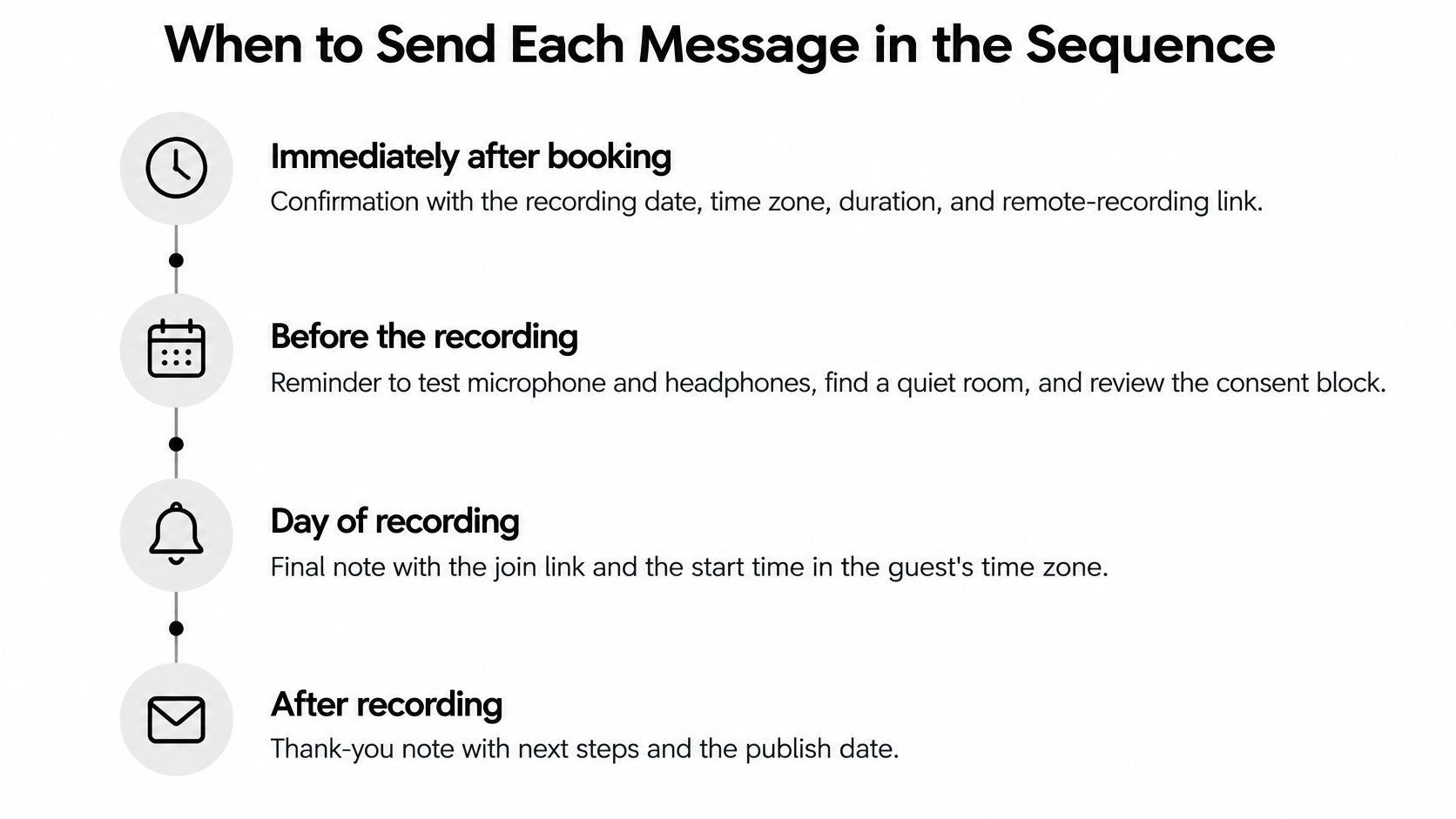
- Immediately after booking. The confirmation above, with the recording date, time zone, duration, remote-recording link, host contact, agenda and rescheduling instructions.
- Only if the recording is more than five days away. A short value-setting note with the episode angle and what to prepare.
- Twenty-four hours before. A reminder that repeats the time and the link and nothing else.
- One hour before. An access nudge with the join link and a backup phone number.
More than one notification beats a single reminder, and the effect isn't small. A systematic review of 21 randomized studies covering more than 16,000 patients found reminder recipients had a 15% no-show rate against 21% without reminders (SyncGTM). Treat that as medical evidence pointing in a direction, not a podcast benchmark. The same page cites a customer report of a 28% lift in demo attendance after confirmation and reminder emails were added, which is directional only.
Set the mechanics up once: calendar invites with an unambiguous zone, a single-click reschedule path, and a requested one-line reply for high-value bookings. Weekly publishing makes this infrastructure rather than admin, and the audience is there for it. Edison Research's 2024 Podcast Consumer presentation reported that 67% of the U.S. population aged 12 and older had listened to a podcast in the previous month, and 47% in the previous week (Edison Research).
The sequence isn't finished at the record button either. A short note the day the episode publishes, with the link and a quotable line, closes the loop properly (podcast guest thank you email).
A reminder only works if it arrives. A message that bounces or goes unacknowledged needs a different response than a gentler reminder.
Recording Consent to Spell Out Before Recording
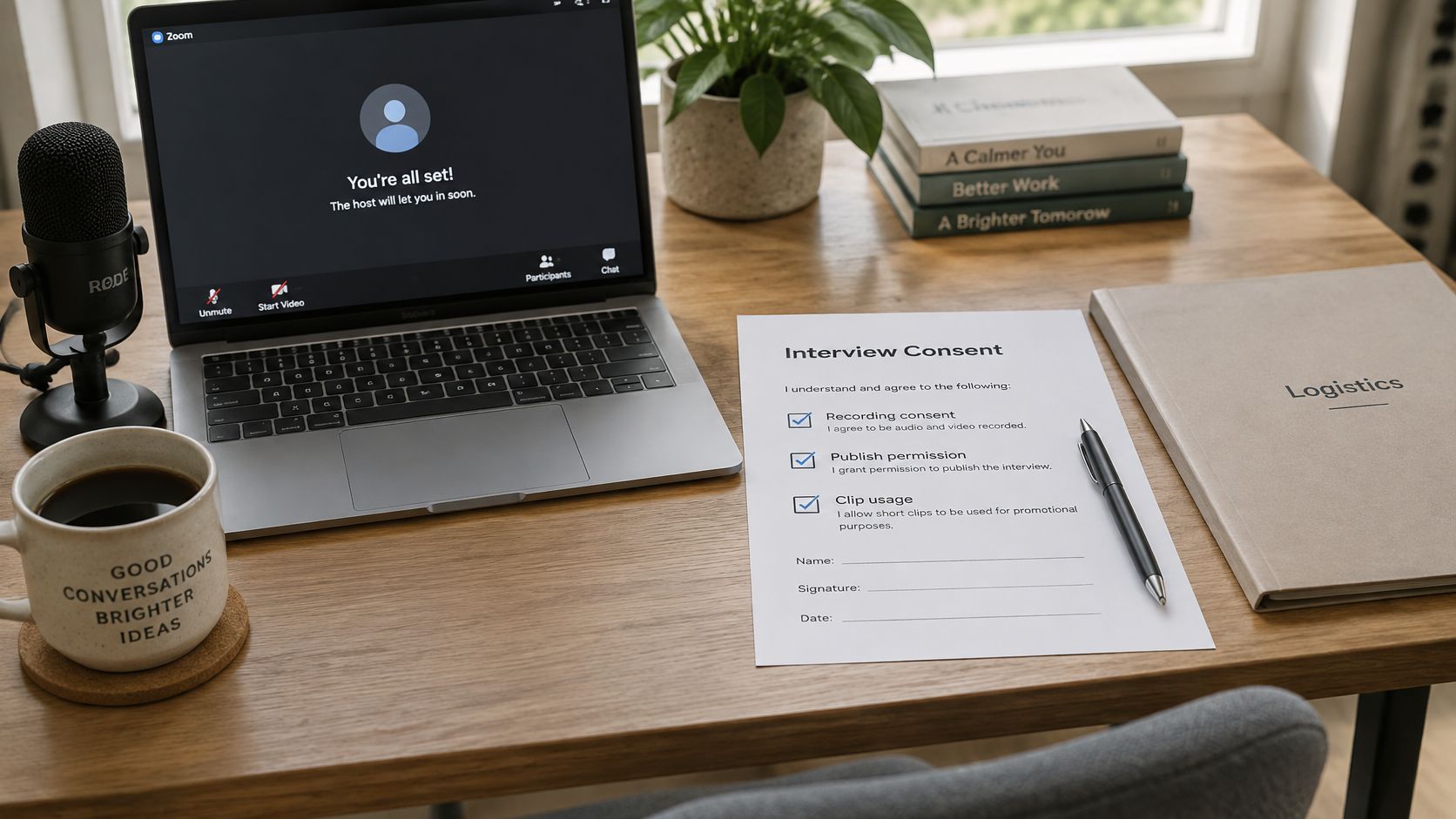
Logistics and consent are separate jobs, and the confirmation email usually does only the first. A guest can know the time, the link and the duration, and still be surprised when a video clip of them appears in a trailer six weeks later. That surprise is the host's fault, not the guest's.
The fix is a plain note from you, not a legal clause. Paste this under the logistics:
Before we record, so there are no surprises. This session captures audio and video, recorded locally on both sides. I'll edit for length and clarity, and I may use short clips to promote the episode. It will appear on [platforms] and on [your site]. I keep the raw files for [period]. [Editor or agency] helps me edit and will have access to the file. I'm not editing anything out of context, and if you want a section removed, tell me before I publish. A release form with your signature follows separately.
Name the capture types explicitly, because "we record the call" hides most of them: audio, video, screen share, slides, chat messages, and any personal detail the guest says on air. Then name the downstream uses in plain words, one sentence each.
Say where the episode appears. Say who else handles the file. Say whether promotional clips are in scope. Say how long you keep the raw recording. Vague consent is worse than no consent, because the guest thinks they've agreed to something.
A release form is a separate step with its own signature, and the email should point at it rather than pretend to be it. The podcast guest release form guide covers what belongs in that document. Keep the confirmation itself as a courtesy note and let the form do the legal work.
Three questions to answer before you send: what exactly is captured, where does it appear, and who else touches the file.
None of this survives if the email never lands. A 2025 deliverability benchmark put global adoption of SPF at 92%, DKIM at 88% and DMARC at 69%, which makes DMARC the control senders most often skip (Unspam 2025 deliverability benchmark).
Deliverability and Following Up When Guests Stay Silent
A sent folder proves you pressed send. It doesn't prove the guest received the time zone or the consent note. Here's the setup that turns sending into delivery, in the order I'd do it.
- Send from a stable branded domain, not a shared free inbox, and keep the visible From address aligned with the domain you authenticate.
- Publish one SPF record, not three. Duplicate records are the classic self-inflicted failure and nobody notices until a host stops writing.
- Turn on DKIM signing at your sending provider for the domain you use.
- Publish DMARC in monitoring mode first. Read the aggregate reports for a couple of weeks, then tighten the policy when the reports are clean.
- Keep confirmations text-forward. No attachments, no marketing footer, no tracking pixels in the paragraph that carries the date.
- Track bounces, deferrals and complaints separately from opens. Opens are noise; a hard bounce is a booking you've lost.
Then the operational half. Silence is the normal state of email. Across 5,012 mature podcast pitches, one market recorded a 13.5% reply or conversation rate and a 3.3% booking rate (Podseeker outreach benchmarks), which means most messages you send will go unanswered.
Silence usually means busy, not unwilling. It costs one message to find out which.
Follow-up carries real weight in that environment. The same market reported in 2026 that 27.9% of podcast-pitch conversations and 22.6% of bookings began only after at least one follow-up email (Podseeker).
Apply it to confirmations specifically: if the guest hasn't acknowledged within 24 hours, move the booking to a person who follows up the same day through a second route, such as a text or a reply on the calendar invite. Keep the slot held until the guest replies. Giving away a confirmed time because the guest was quiet for a day creates two problems where there was one.
Send Your Next Confirmation Before the Week Ends
Take three steps today, in this order. Paste the template from the first section into your drafts. Fill all nine checklist rows against the calendar invite you already have. Then set the four-message sequence for that booking.
Doing them in this order covers the details, the consent and the timing in one pass, so nothing gets confirmed twice and nothing depends on your memory of a phone call.
In practice, a guest booked for Thursday at 10:00 a.m. Pacific Time gets the confirmation today, with the link, the capture type and the consent note. The value note goes out only if the recording is more than five days away. The reminder goes 24 hours before. The access nudge goes an hour before, with your phone number in it.
Check the reply before the reminder goes out. A silent guest is the signal for a same-day follow-up through a second route, not for a second reminder to the same inbox.
You'll know this worked when you can answer three questions for any booking without opening a thread: which email goes next, who receives it, and when it sends. If you'd rather not assemble the machinery yourself, our free tools include a show readiness check and a podcast guest finder, and questions can go to hello@letsmakeapodcast.com.
Send the confirmation for your next booked interview today. Then check for the reply before the reminder is due.
A confirmation email only works when the booking behind it is real, which is why Let's Make A Podcast combines a directory of shows that publish with one-sheet profiles, pitching tools and scheduling in one place. If you're a guest, you can build your one-sheet and pitch from your own inbox; if you're a host, you can claim your show page and name the topics you want. Visit Let's Make A Podcast to move your next conversation from discovery to a recorded interview.