2026 Podcast Checklist: 8 Steps from Booking to Publishing
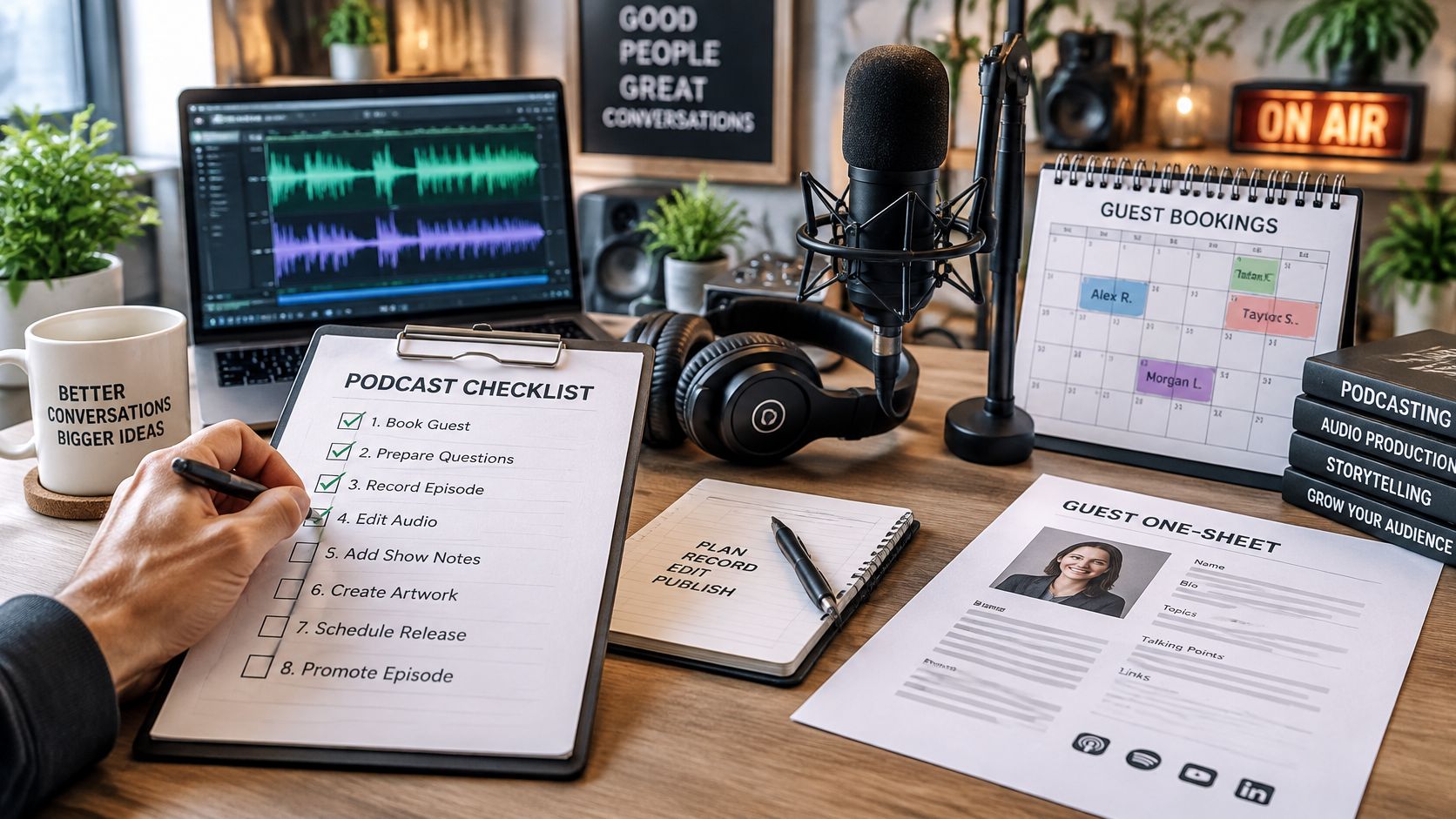
The recording went fine. The episode still fell apart. Your guest arrived on time, the audio sounded decent, and the conversation flowed. Then the editor asked for the guest's bio, nobody could find the publication agreement, and the recording hadn't been backed up.
You're not dealing with a bad interview. You're dealing with unfinished handoffs. A calendar invitation confirmed attendance, but it didn't confirm permission to publish, collect promotional materials, or tell anyone who owned the final review.
A useful podcast checklist follows the episode from the first guest idea to the published page and promotional follow-up. It includes booking tools, guest one-sheets, technical checks, editing decisions, and accessibility requirements. It also defines what must exist before someone marks a task complete.
Production rule: A stage isn't finished because someone worked on it. It's finished when the next person has what they need.
For a solo host, that next person might be you returning to the project after a busy week. For a network producer, it might be an editor who never attended the interview. Both need the same thing: a clear record of the decisions, files, permissions, and deadlines.
Table of Contents
- 1. Pre-Production Episode Plan
- 2. Guest Research and Booking Outreach
- 3. Microphone and Recording Environment Setup
- 4. Remote Recording Platform and Backup Recording
- 5. Guest Release, Consent, and Pre-Interview Call
- 6. Editing, Cleanup, and Audio Processing
- 7. Show Notes, Transcripts, and Publishing Metadata
- 8. Distribution, Publishing Schedule, and Analytics
- How the eight podcast checklist stages compare
- Run Your Next Episode From a Single Podcast Checklist
1. Pre-Production Episode Plan
Start with the listener's problem, not the guest's availability. Write a sentence explaining what someone should understand or be able to do after listening. Then choose a guest who can deliver that result through specific examples.
Say you produce a show for independent authors. An episode about book marketing is too broad. An episode about choosing podcast appearances for a new release gives you a clearer guest profile, interview outline, and promotional promise.
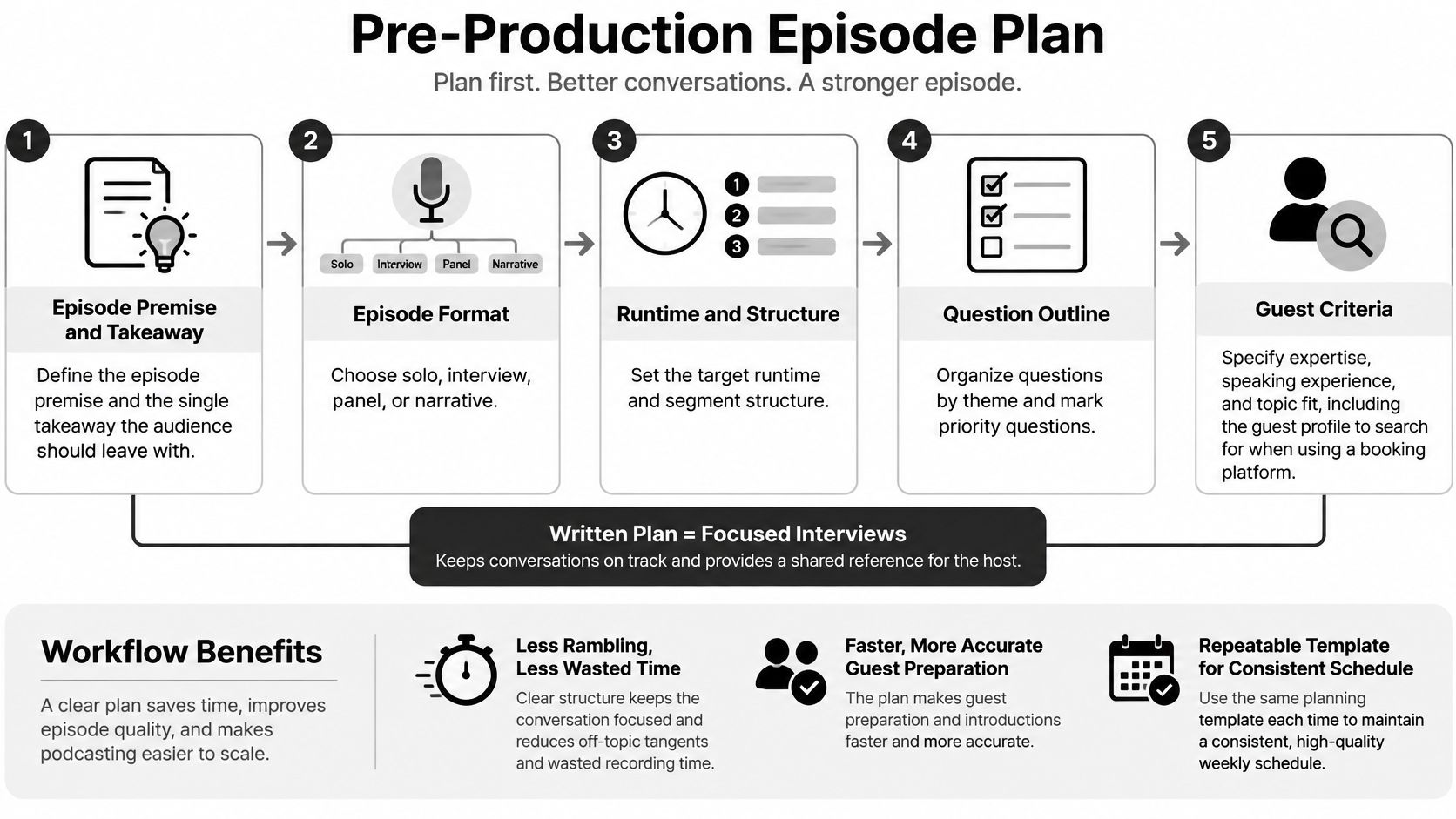
Use a shared brief to record the essentials:
- Listener and takeaway: Name the audience and the practical question you'll answer.
- Format and scope: Decide whether you're recording audio, video, or both, and set the intended episode length.
- Question sequence: Move from context to decisions, examples, mistakes, and an actionable conclusion.
- Deliverables and ownership: Name who handles booking, editing, written materials, approval, and publication.
The planning sequence should stay visible beside the episode brief.
Prepare a Route, Not a Script
Use an interview question template to draft prompts, then rewrite them in the host's voice. Ask for a decision and its consequences rather than a polished speech about someone's expertise.
Send the guest a topic summary and representative questions before recording. Don't demand rehearsed answers unless the format requires them. You want the guest prepared enough to bring useful details, but not so scripted that follow-up questions feel disruptive.
Move forward when: the host can explain the episode's promise, the producer knows which guest profile to find, and everyone can access the same brief.
2. Guest Research and Booking Outreach
A recognizable name isn't automatically the right guest. Look for someone who can explain the subject clearly, support their claims, and offer examples your audience hasn't already heard repeatedly.
Review their work before sending an invitation. Listen to a relevant interview, read their recent writing, and check whether their current role matches the proposed topic. A polished one-sheet helps you scan their biography, speaking topics, and previous appearances, but it doesn't replace editorial judgment.
For a hiring podcast, a founder might have broad opinions about recruitment. An operations leader who redesigned an interview process may offer a more useful conversation about implementation.
Keep Outreach Specific and Trackable
Your invitation should explain the audience, the proposed angle, why this guest fits, and what participation involves. Put the listener's benefit ahead of the guest's promotional opportunity.
- Use the right route: Follow a published guest application or contact process rather than sending duplicate messages across channels.
- Show relevant preparation: Reference the guest's work. If you're pitching yourself to a show, mention a recent episode and explain the useful gap you can fill.
- Track the next action: Record the contact, topic, outreach status, last message, and person responsible for follow-up.
- Keep scheduling together: Use a booking link or platform that preserves the invitation context and sends a clear calendar confirmation.
Send a polite follow-up after a reasonable interval, then close the lead if there's no response. Repeated nudges don't improve a weak fit.
Move forward when: the guest has accepted the topic and recording invitation. A positive reply without a confirmed appointment is still an open booking task.
3. Microphone and Recording Environment Setup
Fix the room before shopping for a more expensive microphone. A reflective kitchen and a distant microphone will still sound poor through a premium interface. Soft furnishings, close microphone placement, and quiet surroundings are the practical starting points.
Keep the physical setup simple enough that the guest can reproduce it.
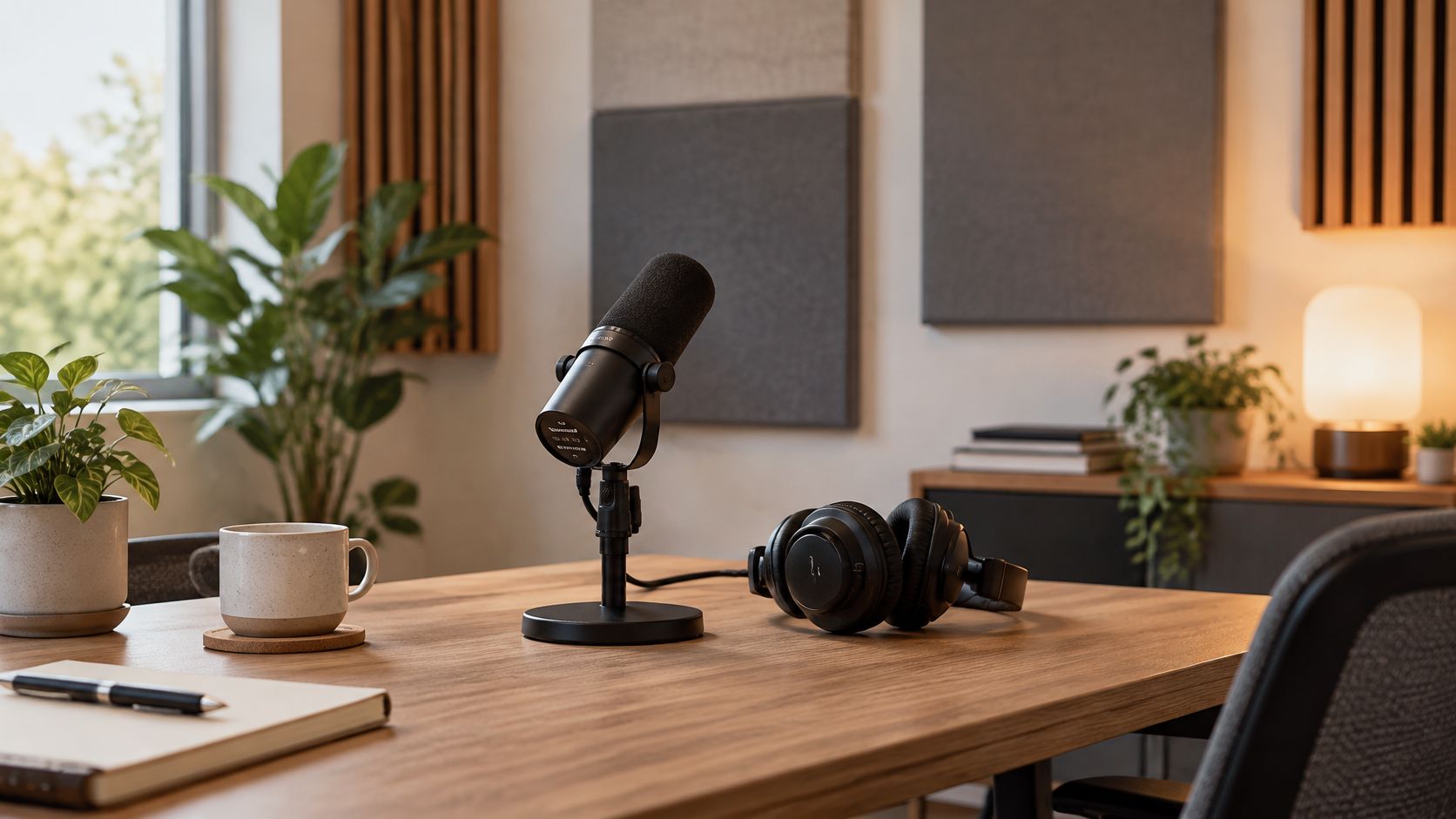
A dynamic microphone such as the Shure SM7B can suit a dedicated recording space, but it adds interface and gain considerations. A straightforward USB microphone may be the better guest setup because there are fewer connections to troubleshoot. Choose equipment the speaker can operate confidently.
Test the Actual Recording Path
Have the guest speak at their normal interview volume, then laugh or deliver an emphatic sentence. Listen to the recorded test through headphones rather than trusting moving meters.
- Microphone position: Keep it close, slightly off-axis, and pointed toward the correct pickup surface.
- Input selection: Confirm the recording software uses the intended microphone, not the laptop's built-in input.
- Headroom: Leave space below clipping for louder speech. Don't chase a visually large waveform.
- Room noise: Close windows, silence notifications, and move away from fans or humming appliances.
- Playback: Check for echo, rubbing cables, desk vibration, and headphone bleed.
For a remote author recording from home, moving from a bare office to a furnished bedroom may help more than aggressive noise removal later.
Use this demonstration alongside the guest's setup instructions.
Move forward when: both speakers have heard a clean test recording and can maintain their microphone position comfortably.
4. Remote Recording Platform and Backup Recording
Choose the recording workflow before you send the guest a meeting link. A convenient call connection and an editable recording aren't necessarily the same deliverable.
The Castos survey of 99 podcast creators in 2026 found that 49% recorded audio only, while 34% recorded video for every episode. Your checklist should therefore match your actual output, not assume every interview needs a full video production.
Platforms such as Riverside, Zencastr, and SquadCast offer remote-production workflows. Check the selected platform's current recording mode, track separation, browser requirements, and upload behavior before relying on it.
Separate Capture From Connection
For an interview with an overseas guest, local recording can preserve a cleaner source than the conversation you hear over an unstable connection. Separate speaker tracks also let the editor adjust an uneven voice or remove an interruption without processing everyone together.
Before the session:
- Test compatibility: Check microphone permissions, headphones, browser access, and available storage.
- Reduce interference: Close unnecessary apps and use a wired connection when practical.
- Arrange a backup: Record an independent local source where the equipment and permissions allow it.
- Explain recovery: Tell the guest what to do if the call disconnects and whether they should keep recording.
A backup isn't verified until you've opened it and heard usable speech.
After the interview, ask the guest to stay until the platform confirms that their recording has uploaded. Download the source files, open them, and check the beginning and end before handing anything to the editor.
Move forward when: the separate tracks and backup are accessible, playable, and stored with clear filenames. A recording visible in a dashboard isn't enough.
5. Guest Release, Consent, and Pre-Interview Call
Treat consent as a booking requirement, not something to recover after editing. Although this is a separate checklist stage, complete it before you record. A guest accepting a calendar invitation doesn't tell you everything you need to know about recording, publication, clips, or promotional use.
Use a podcast guest release form as a starting point, then make sure the agreement reflects your actual production and applicable requirements. Don't assume a template resolves every legal issue. Get appropriate advice when the subject matter or intended use creates uncertainty.
Collect the guest's preferred name, pronunciation, current title, biography, photo, and relevant destination links in the same administrative workflow. Ask them to confirm that you can use the materials they provide.
Keep the Pre-Interview Call Focused
Use the call to resolve uncertainty, not conduct the entire interview off-air. Confirm the angle, technical setup, available recording window, and any sensitive areas.
For an entrepreneur discussing a failed product launch, establish whether they can name former partners or disclose financial details. Don't discover those restrictions after the host has built the episode around them.
- Editorial boundaries: Identify confidential subjects and distinguish a guest preference from an agreed exclusion.
- Review expectations: State whether the guest will receive a factual check, an excerpt, or no advance review.
- Publication details: Share the planned release date and explain how you'll communicate changes.
- Promotional permission: Confirm how the interview, image, and excerpts may be used.
Avoid promising blanket approval unless you intend to give the guest that control. Open-ended approval can leave a finished episode waiting indefinitely.
Move forward when: permission is documented, guest materials are complete, and both sides understand the editorial and publication arrangements.
6. Editing, Cleanup, and Audio Processing
Edit for meaning before polishing the sound. Remove abandoned starts, irrelevant detours, and repeated explanations first. There's little value in carefully processing a passage you later cut.
Descript suits transcript-led assembly. Audacity provides a free editing route, while Adobe Audition and Hindenburg support more detailed audio workflows. Choose the editor you can use consistently rather than switching tools whenever a new feature appears.
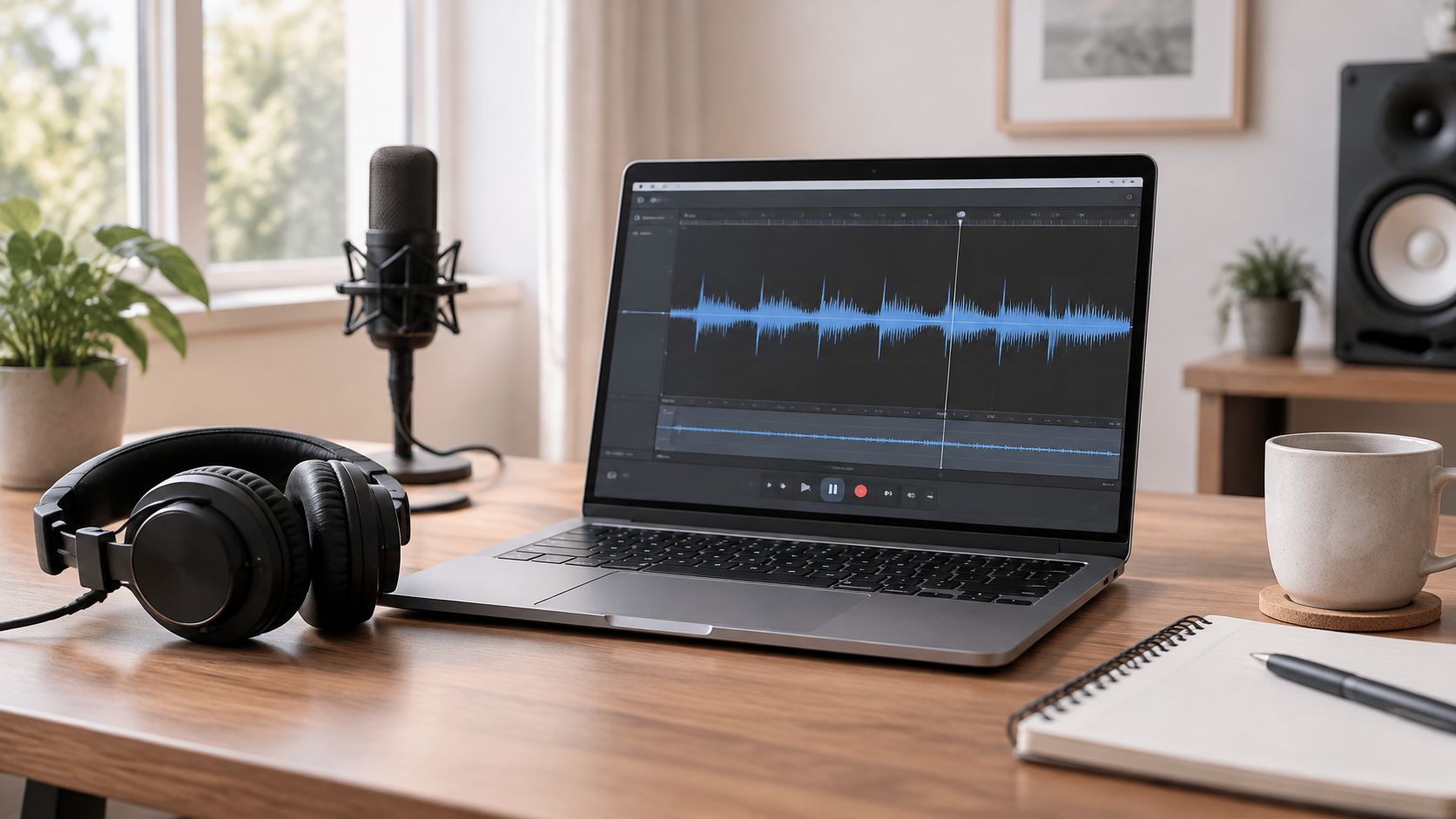
Keep source recordings untouched and build the edit from copies.
Use a Deliberate Processing Sequence
Balance speaker levels, repair distracting noises, apply restrained equalization and compression, then check the exported file's loudness against your chosen delivery specification. Save reusable presets, but adjust them for the actual voice and recording.
For a soft-spoken guest beside an energetic host, level balancing usually matters more than removing every breath. Heavy noise reduction can introduce artifacts, and excessive compression can make room noise more noticeable.
The University of Maryland podcasting guide recommends equipment testing, backup recordings, consistent audio levels, and checks for pacing, clarity, and factual accuracy. Build those checks into the final review rather than leaving them to whoever notices a problem.
- Content integrity: Confirm edits haven't changed the guest's meaning.
- Listening quality: Check headphones and a phone speaker for intelligibility and distracting level changes.
- Accuracy: Verify names, titles, links, and factual statements requiring confirmation.
- File preservation: Retain source tracks, the editing project, an unprocessed assembled master, and the delivery export.
Editing judgment: Remove what distracts from the conversation, not every sign that people are speaking naturally.
Move forward when: the final export has been heard from beginning to end, and the reviewer has recorded any corrections.
7. Show Notes, Transcripts, and Publishing Metadata
Write the title around the listener's question, then add the guest's name where it helps. A name-only title gives an unfamiliar listener little reason to press play. A specific topic tells them whether the episode solves their problem.
Use a podcast show notes template to collect the summary, guest introduction, resources, and next action. Check every destination link and make sure the biography reflects the guest's confirmed role.
Keep the episode page useful even for someone who never opens a podcast app.
Make Accessibility a Publication Requirement
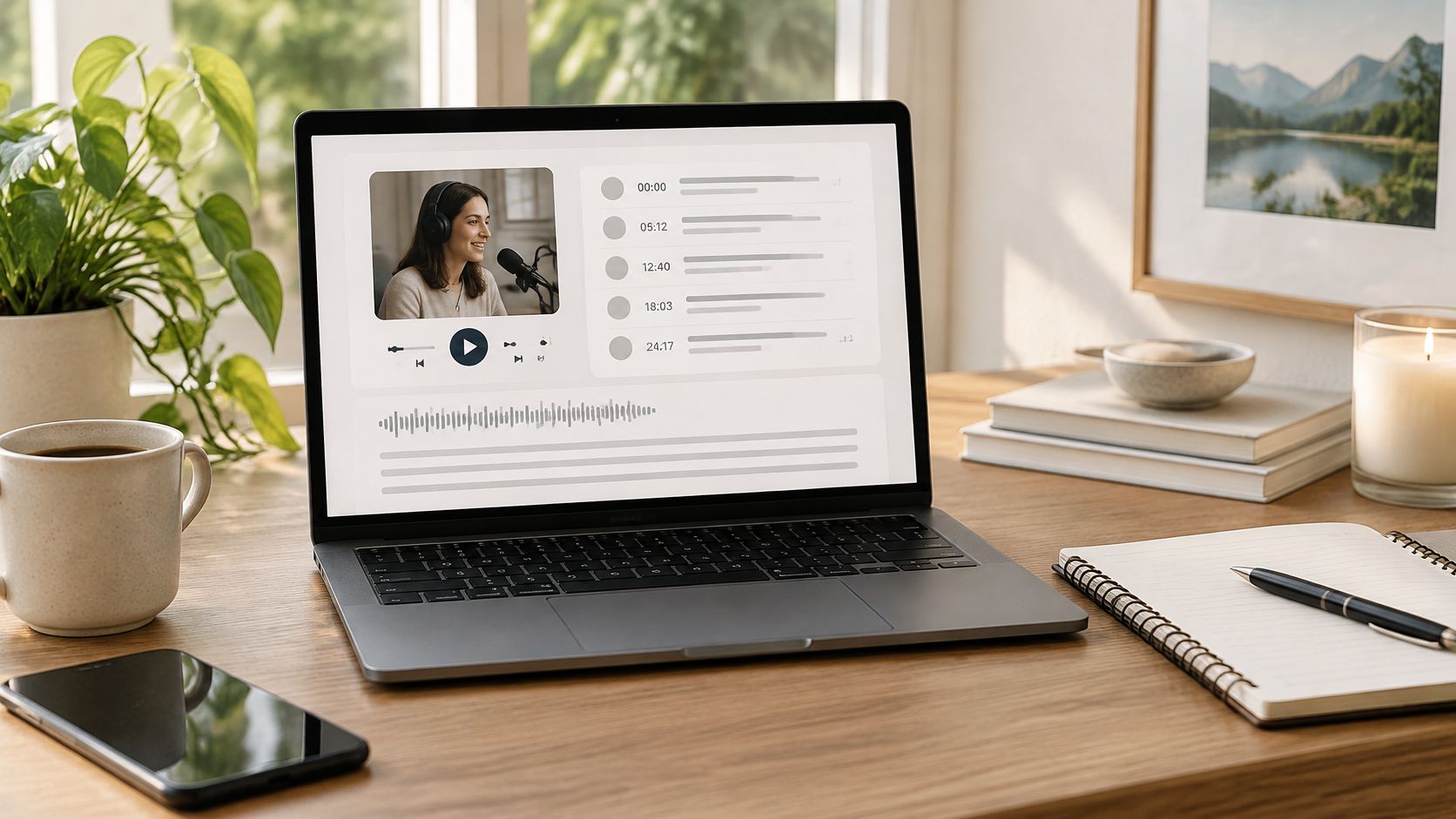
The UC Berkeley guidance on podcasts and transcripts calls for accessible transcripts and human review rather than treating automated transcription as finished work. Check speaker identification, names, technical language, and meaningful non-speech audio.
A transcript and captions serve different needs. Readers can browse a transcript at their own pace; captions must stay synchronized and readable while the video plays.
- Audio episodes: Publish an accurate transcript beside an accessible player and clearly labeled resources.
- Video episodes: Review synchronized captions and explain essential visual information that isn't conveyed through speech.
- Live interviews: Arrange live captioning in advance and review the recording's captions and transcript before publishing the archive.
- Metadata: Check the title, description, artwork crop, chapter destinations, and publication settings.
For an interview about a software demonstration, replace vague references such as “click this” with a description of the control being used. If that wasn't captured during recording, add a clear explanation to the accessible supporting material.
Move forward when: a listener can understand and use the episode's content without depending on an unreviewed automated transcript.
8. Distribution, Publishing Schedule, and Analytics
Uploading the master isn't the finish. The Independent Podcaster Report 2025 survey of 558 independent creators found that 72% identified audience growth or discoverability as a major challenge. Promotion belongs in the production plan, with an owner and prepared assets.
Publish through your podcast host and verify the RSS feed's directory listings before relying on a scheduled release. Check the release time zone, episode visibility, media file, and public episode page. Scheduling software can execute the settings you entered, but it can't tell whether you entered the right ones.
Give the Guest Something Usable to Share
For an author interview, prepare a clip that answers a recognizable reader question rather than a montage announcing that a conversation happened. Send the guest the live episode link, a short suggested message, and a suitable image or captioned clip.
Make sharing easy without turning it into an obligation.
- Verify publication: Play the live episode, test the page, and check that the correct title and description appear.
- Coordinate promotion: Schedule the newsletter, host posts, and guest follow-up around the confirmed release.
- Match the channel: Use a self-contained clip for social viewing and a clear listening benefit in email.
- Record results: Track downloads, available retention measures, referral traffic, and relevant audience responses.
Review performance on a regular schedule and compare episodes over equivalent periods after release. Keep platform definitions separate: a video view, an audio download, and a completed listen aren't interchangeable.
If a practical troubleshooting episode retains listeners better than a broad career interview, test a more focused angle with a future guest. Don't attribute the difference to guest fame alone.
Move forward when: the episode is live, the promotional assets have been delivered, and someone owns the performance review.
How the eight podcast checklist stages compare
| Item | Stage | Main Output | Typical Timing | Key Tool Type |
|---|---|---|---|---|
| Pre-Production Episode Plan | Planning | Episode brief, format, structure, questions, and guest criteria | Before booking or recording | Planning templates |
| Guest Research and Booking Outreach | Guest booking | Shortlist, personalized pitches, and booking pipeline | Before recording | Guest research and outreach tools |
| Microphone and Recording Environment Setup | Recording preparation | Clean, consistent speech capture | Before and during recording | Microphones and audio interfaces |
| Remote Recording Platform and Backup Recording | Recording | Separate local tracks and backup files | During remote interviews | Remote multitrack recording platforms |
| Guest Release, Consent, and Pre-Interview Call | Guest preparation | Signed consent and aligned expectations | Before recording | Release forms and scheduling tools |
| Editing, Cleanup, and Audio Processing | Post-production | Polished, balanced episode audio | After recording | Audio editing and processing software |
| Show Notes, Transcripts, and Publishing Metadata | Publishing preparation | Episode description, notes, transcript, and metadata | Before publication | Podcast hosting and transcription tools |
| Distribution, Publishing Schedule, and Analytics | Distribution and review | Published episodes, promotion, and performance insights | At release and ongoing | Hosting, directory, and analytics platforms |
Run Your Next Episode From a Single Podcast Checklist
Copy these stages into a shared document and give each stage a named owner. A solo host can own everything, but the responsibilities should still be separate. Booking, editing, fact-checking, and publishing require different decisions, even when the same person handles them.
Define completion through evidence. The plan should exist as a brief. The booking should include a confirmed appointment, the consent stage should contain the recorded agreement, and the recording stage should contain playable files rather than a reassuring message.
Use the document as an episode record, not just a row of empty boxes:
- Before recording: Keep the brief, guest contact, one-sheet, permissions, technical instructions, and calendar details together.
- After recording: Add source-file locations, backup verification, editing notes, factual queries, and review decisions.
- Before publication: Confirm the master, transcript, captions where needed, metadata, artwork, and scheduled release.
- After publication: Save the live page, guest follow-up, promotional status, corrections, and performance notes.
Keep exceptions visible. If a guest can't attend a test call, record how you'll check their setup before the interview begins. If the publication date changes, assign someone to notify the guest and update scheduled promotion. An unchecked dependency shouldn't disappear because the recording itself went well.
Our free tools at Let's Make A Podcast can shorten the discovery and preparation work. The shortlist filters a directory of 408 podcasts for shows still publishing, reachable, and showing evidence that they book guests. The guest one-sheet builder produces a shareable link and PDF, while the show readiness check scores what a pasted podcast RSS feed publishes.
Those tools help organize the beginning of the workflow. They don't replace listening for guest fit, confirming permissions, checking source recordings, or reviewing the live episode.
For your next interview, start with the weakest handoff in your current process. If guest materials arrive late, collect them during booking. If editors receive incomplete files, make backup verification a required delivery check. Keep the checklist short enough to use, but specific enough that nobody has to guess what “done” means.
Prepare your next interview with the free guest finder, pitch tools, one-sheet builder, and show readiness check from Let's Make A Podcast. Use them to identify a relevant match, organize the booking materials, and bring a confirmed guest into your podcast checklist.