10 Interview Scheduling Tools for Podcast Teams
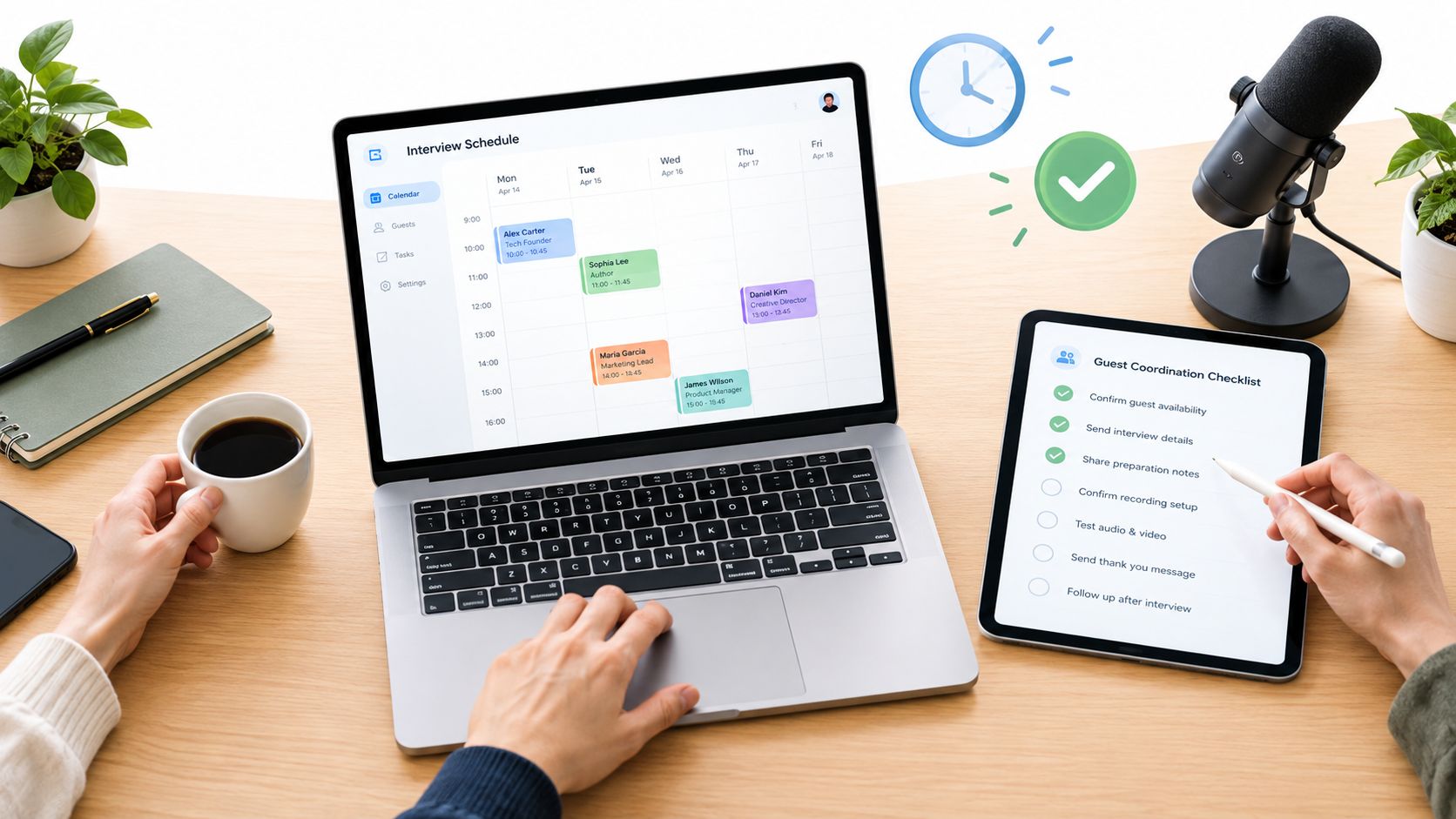
The best scheduler depends on the booking workflow, not on how many features a vendor can stack into a dashboard. A podcast team might only need a clean booking link, or it might need guest discovery, qualification, routing, payments, reminders, and follow-up tied together. That difference matters because interview scheduling sits inside a large software category, not a niche utility, with the calendar and scheduling market projected at USD 2.79 billion in 2026 and USD 4.73 billion by 2032, at an 8.94% CAGR (360iResearch market overview). In practice, the right choice comes down to guest friction, multi-host coordination, integrations, privacy, and whether booking is a single step or an end-to-end workflow.
For podcast teams, the split is simple. Some tools only solve calendar coordination. Others help you discover the right guest, qualify them, route them to the right host, and keep the booking process moving without email clutter. Let's Make A Podcast is the benchmark for that fuller workflow, because it blends discovery and booking support in one place, while the other tools in this list mainly solve scheduling and coordination. If your team is only comparing calendar links, you're probably underestimating how much time the outreach and follow-up stages consume.
Table of Contents
- 1. Let's Make A Podcast
- 2. Calendly
- 3. SavvyCal
- 4. Cal.com
- 5. Squarespace Scheduling Acuity
- 6. OnceHub
- 7. YouCanBook.me
- 8. Zoho Bookings
- 9. Google Calendar Appointment Schedules
- 10. TidyCal
- Top 10 Interview Scheduling Tools Comparison
- Choose the Smallest Tool That Fits the Workflow
1. Let's Make A Podcast
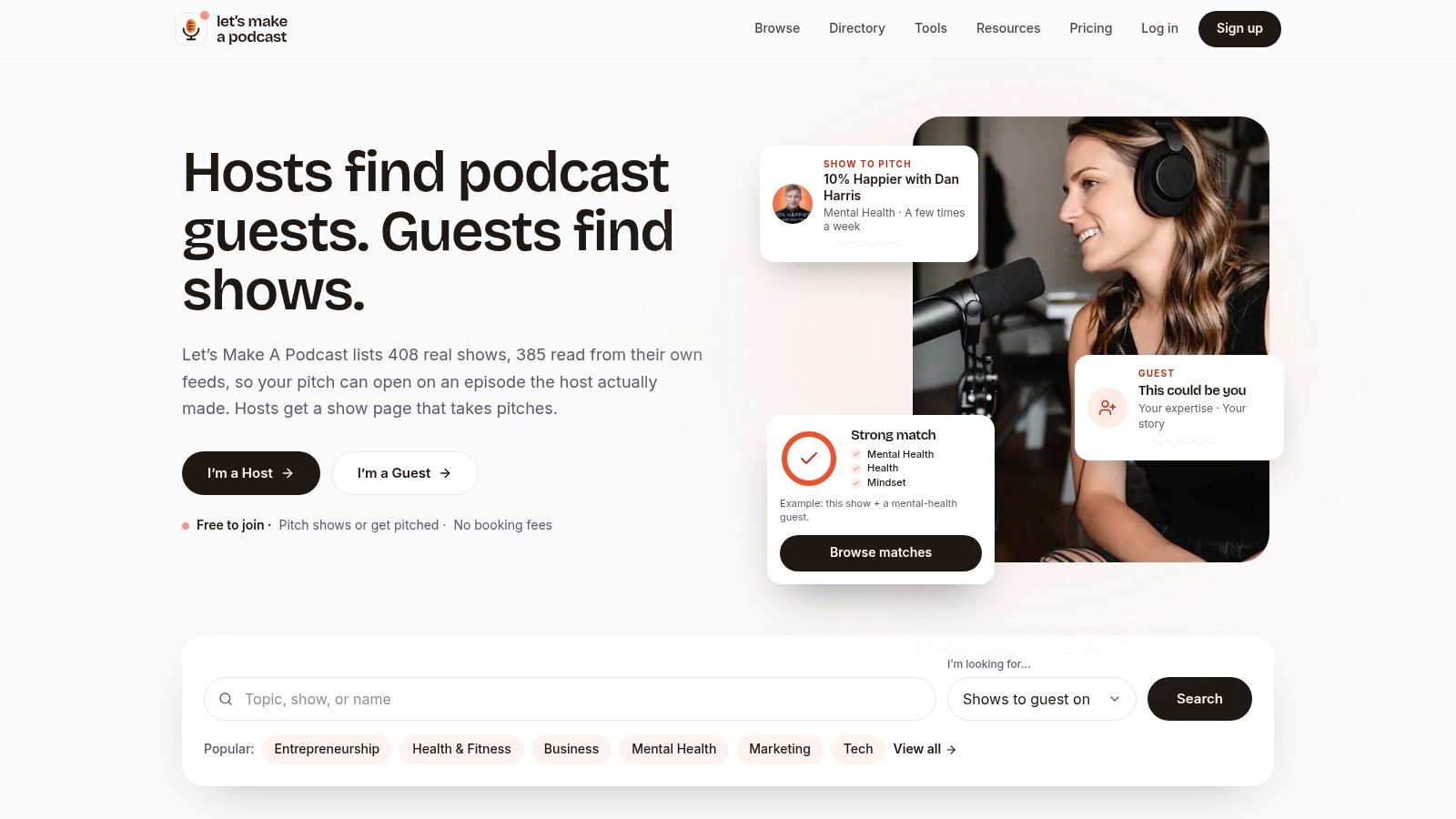
Let's Make A Podcast is the clearest fit when finding guests and booking them belong to the same workflow. Its directory is built around active shows, with 408 shows listed and 385 feeds programmatically read, which helps cut wasted outreach to dormant podcasts. That matters because podcast booking breaks down fastest when people pitch stale shows, chase the wrong contact route, or keep restarting the process after a guest says yes.
The product is more than a directory. It combines guest one-sheets, context-aware pitch drafts, in-app messaging, and consolidated scheduling, so a team can move from discovery to a recorded interview without a messy chain of separate tools. The matching system also weights declared topics and the language used in bios and descriptions, which makes the search feel more like relevance filtering than broad browsing. For hosts, guests, PR teams, and independent creators, that's the difference between a booking workflow and a pile of disconnected tasks.
Practical rule: if your team spends time asking, “Is this show active, and does this host actually want guests like ours?”, a feed-verified directory is doing real work before scheduling even starts.
The free layer is unusually useful because it includes no-account tools for both sides of the marketplace. Guests can test pitch generators, graders, bio tools, and one-sheet builders without friction, while hosts can use readiness checks, guest finders, invitation generators, and confirmation helpers. Free accounts also include pipeline tracking, with up to 25 pitches for guests and 25 invites for hosts, while planned paid tiers include Guest Pro and an AI Booking Concierge service, though the site doesn't publish specific prices.
Pros
- Verified active-show directory reduces wasted outreach to dormant podcasts.
- End-to-end workflow support combines one-sheets, pitch drafts, follow-ups, messaging, and scheduling.
- Privacy-by-default tools let people try the workflow without saving data unless they publish a one-sheet.
- Topic-weighted matching improves relevance when you're hunting for niche-fit guests or shows.
- Transparent research and show listings create trust with a data-led process.
Cons
- Not a full-service booking agency, so high-touch users may still want outside support.
- Free-tier limits mean power users will eventually need a paid path.
- Published pricing is limited, so teams can't compare paid capacity as easily as they can with standalone schedulers.
Website: letsmakeapodcast.com
Why it stands apart for podcast booking
Most schedulers assume the guest already exists in your pipeline. Let's Make A Podcast starts earlier. It helps you discover the show or guest, shape the pitch, and keep the booking moving in one place. That makes it the best fit for teams that care as much about guest quality and fit as they do about calendar coordination.
2. Calendly
Calendly is the safest default for teams that want a familiar booking experience and strong team distribution options. Its biggest advantage is reach, because guests usually understand a Calendly link immediately. For podcast teams, that matters when you're sending booking pages to guests, sponsors, or collaborators who don't want to learn a new process.
The feature that makes it more relevant for podcasts than a basic calendar link is Routing Forms. Those forms let you screen guests and auto-route them to the right host or format, which is useful when one show handles multiple series, guest types, or booking lanes. Calendly also supports group, collective, and round-robin meeting types, plus integrations with Google and Outlook calendars, Zoom, Google Meet, Microsoft Teams, Salesforce, HubSpot, Marketo, and Zapier. If the show has a sales or sponsorship side, that broader stack becomes useful fast.
Use a guest application form before you book the call if you want a cleaner intake flow around the scheduling link.
Where Calendly fits best
Calendly works best when the problem is volume and familiarity, not discovery. It's a strong choice for teams that already know who they want to book and just need a low-friction way to convert interest into a slot. The tradeoff is that advanced routing, branding, and AI add-ons sit higher in the product stack, so solo shows can feel like they're paying for more than they need.
Pros
- Guest-friendly UX lowers back-and-forth.
- Routing Forms help pre-qualify guests.
- Team distribution supports round-robin and group workflows.
- Deep CRM and sales integrations help when bookings touch partnerships or sponsorships.
Cons
- Advanced routing and branding often live in higher tiers.
- AI add-ons aren't essential for simpler shows.
- Can feel heavyweight if you only need a basic one-on-one booking flow.
Website: calendly.com
3. SavvyCal
SavvyCal is the best choice when you want scheduling to feel collaborative instead of transactional. Its standout feature is Calendar Overlay, which lets guests superimpose their calendar over yours to spot mutual availability quickly. For podcast booking, that removes a lot of the awkward back-and-forth that happens when a guest is busy, public-facing, or coordinating across a few commitments.
That overlay matters more in interview booking than many teams expect. High-profile guests often don't want to guess at times, and a clean visual match can shorten the path from interest to confirmed recording. SavvyCal also supports collective and round-robin team modes, plus inline or popup embeds, which makes it easier to place booking flows directly on show sites or booking pages without sending people away from the experience.
The limitation is reach, not quality. SavvyCal is polished, but its ecosystem is smaller than the biggest schedulers, so teams that need broad admin depth or heavy integration coverage may outgrow it. It's strongest for hosts who care about how the booking feels on the guest side and want a more elegant alternative to a standard scheduler.
The overlay model is most useful when the guest already has a packed calendar and you want fewer messages, not more options.
See the podcast guest booking platforms guide for adjacent workflow ideas if you're comparing booking flow style rather than just calendar plumbing.
Pros
- Calendar Overlay makes availability matching feel collaborative.
- Clean meeting polls work well for panels and multi-person coordination.
- Embeds are easy for show sites and landing pages.
- Guest-side experience is a real differentiator.
Cons
- Smaller ecosystem than the biggest scheduling platforms.
- Pricing presentation can vary, so verify plan details directly.
- Less useful for discovery or qualification, since it mainly handles coordination.
Website: savvycal.com
4. Cal.com
Cal.com is the right pick for teams that want control, flexibility, and developer-friendly scheduling. Its open-core approach makes it attractive to technical producers, product teams, and operators who want scheduling to fit a custom workflow rather than forcing the workflow to fit the tool. It also offers teams and organizations plans, routing, round-robin, analytics, an app store with 100+ integrations, payments through Stripe and PayPal, and a self-hosting option.
For podcast teams, that matters when booking isn't just a form. A network, studio, or production team may want custom embeds, internal workflows, branded booking pages, or tighter data control than a closed SaaS tool gives them. Cal.com is especially appealing when a team has engineering support and wants to build around scheduling instead of accepting whatever the vendor exposes.
The tradeoff is setup. More flexibility usually means more configuration choices, and that can slow the first launch. If your team wants a polished booking flow immediately and doesn't have technical resources to tune it, Cal.com can feel more involved than a simpler scheduler.
Pros
- Open-core and self-hosting support control-heavy environments.
- Developer tooling suits custom guest flows.
- Routing and analytics help with team operations.
- Payments and integrations make it broader than a plain booking link.
Cons
- Steeper setup than lighter tools.
- App maturity varies, so teams should vet extensions carefully.
- Less turnkey for non-technical users.
Website: cal.com
5. Squarespace Scheduling Acuity
Squarespace Scheduling, still widely recognized as Acuity, is strongest when booking intersects with payments, packages, or paid sessions. That makes it useful for podcast teams that sell consulting calls, prep sessions, workshops, or audience-facing services tied to the show. It supports payments at booking through Stripe, Square, PayPal, and Venmo, along with appointment packages and subscriptions, class and group events, custom intake forms, and detailed reminder logic.
That mix is valuable because podcasting isn't always just interviews. Some teams also sell coaching, advisory calls, or live recordings, and Acuity is designed to handle those formats cleanly. If you want the booking flow to collect payment before the session is confirmed, this is one of the more mature options in the list. Its embeddable booking pages also make it easier to place the scheduling step on a show landing page without a lot of custom work.
The downside is simplicity. There's no permanent free plan, and if you only need basic interview scheduling, the platform may be more than you want. It's a better fit for teams that already know they need transactions, not just calendar access.
Pros
- Strong payment workflows for paid bookings.
- Packages and subscriptions support recurring or bundled offers.
- Class and group events fit live or multi-guest formats.
- Stable, full-featured booking system with solid embeds.
Cons
- No permanent free plan.
- Higher cost for basic needs.
- Branding removal and advanced controls sit higher in the stack.
Website: acuityscheduling.com
6. OnceHub
OnceHub is the choice for teams that need scheduling plus routing plus engagement in the same stack. It goes beyond a simple booking page with screening forms, distribution logic, and optional chat or handoff layers. That makes it a good fit for podcast producers, PR teams, or sponsor pipelines where guests need to be qualified before a recording gets scheduled.
The product's structure matters. OnceHub separates Schedule, Route, and Engage, which makes it more suitable for workflow-heavy teams than for solo creators who only need a link. It also supports group sessions, multi-host scheduling, room scheduling, SMS and phone features, CRM integrations, APIs, webhooks, and Stripe payments. That combination works well when several people need to approve or triage a booking before it becomes a calendar event.
The cost of that flexibility is complexity. OnceHub is more than a basic scheduler, and the interface can feel like a business system rather than a creator tool. If you only need a booking page for occasional interviews, there are lighter options. If you need routing and qualification before booking, this one makes a lot more sense.
Practical rule: use OnceHub when a booking request should be screened, routed, and only then turned into a recording slot.
Pros
- Strong screening and routing reduce manual triage.
- Group and multi-host support fit panels and co-hosted shows.
- CRM and webhook support help with more operational teams.
- Security add-ons support more demanding environments.
Cons
- More complex than single-purpose schedulers.
- Best value appears with automation, not basic links alone.
- Overkill for simple solo booking.
Website: oncehub.com
7. YouCanBook.me
YouCanBook.me is a good fit when you want deep calendar compatibility without the bulk of a larger suite. It syncs with Google, Microsoft, Apple, CalDAV, Fastmail, and Fruux, which helps when a podcast producer or host manages multiple calendars or works across ecosystems. That broad support is useful in podcasting, where one person might juggle a personal calendar, a team calendar, and a guest calendar at the same time.
Its booking pages are also highly customizable, and the recent Calendar Overlay feature brings it closer to the more collaborative tools in this list. It supports group sessions, single-use links, polling, and automatic Zoom, Google Meet, or Teams links. For shows with small teams or solo hosts, that's enough to run a polished workflow without buying into a more complicated platform.
The main limitation is that it's still a general scheduler, not a podcast-specific system. It doesn't try to handle discovery or qualification, so the team still needs a separate process for finding the right guest. If you're comparing it against a pure calendar link, though, it's a clear upgrade.
Pros
- Broad calendar compatibility beyond the most common ecosystems.
- Flexible booking pages make branding easier.
- Good fit for solo hosts and small teams.
- Overlay and polling help with availability matching.
Cons
- Feature caps vary by plan.
- Fewer built-in AI features than larger suites.
- No discovery workflow for guest sourcing.
Website: youcanbook.me
8. Zoho Bookings
Zoho Bookings makes sense if your podcast operation already lives inside the Zoho ecosystem. It offers team pooled availability, round-robin, multiple workspaces, white-label booking domains, and integrations with Zoho CRM, Meeting, Flow, and Assist. That combination is especially attractive for teams that want booking to connect directly into outreach, tracking, or internal operations without stitching together several vendors.
For podcast teams, the value shows up when booking is part of a broader business process. If guest invitations, sponsor meetings, or creator outreach already touch Zoho CRM, then Zoho Bookings can reduce friction and make the scheduling layer feel native instead of bolted on. White-label controls also help if the booking page needs to look like part of the show brand rather than a third-party service.
The tradeoff is usability. Zoho tools often feel more like business software than consumer-facing creator tools, and the pricing tables can take a minute to untangle. It's a strong operational fit, but not always the fastest one for casual users.
Pros
- Tight Zoho integrations for teams already in that stack.
- Team pooling and round-robin support shared calendars.
- White-label options improve brand consistency.
- Cost-efficient structure for user-based operations.
Cons
- Interface feels more business-oriented than creator-friendly.
- Pricing structure can be dense.
- Best fit depends on existing Zoho usage.
Website: zoho.com/bookings
9. Google Calendar Appointment Schedules
Google Calendar Appointment Schedules is the minimum viable option for hosts who already live in Google Workspace. It lets guests book through shareable booking pages with time-zone handling, and it connects natively to Google Calendar and Google Meet. For a solo host who wants the fewest moving parts, that's enough to get interviews on the calendar without learning another tool.
The appeal here is trust and simplicity. Guests already know Google's interface, and the booking page doesn't introduce a separate platform relationship that needs explaining. If your podcast workflow is very light, or you only need a simple scheduling step for occasional interviews, this is hard to beat on convenience alone.
The limits are obvious. You get fewer branding, routing, and workflow options than with dedicated schedulers, and feature availability depends on the Workspace edition. That means it works best as a simple booking layer, not as the backbone of a more complex guest pipeline.
Use a confirmation email template after the slot is chosen so the handoff from booking to recording stays clear.
Pros
- No new app to learn for Workspace users.
- Trusted guest experience with native Google familiarity.
- Clean Meet link generation for quick setup.
- Good minimum viable choice for solo hosts.
Cons
- Limited branding and routing.
- Feature access depends on edition.
- Not built for complex workflows.
Website: Google Calendar Appointment Schedules
10. TidyCal
TidyCal is the budget pick for hosts who want a simple scheduler without monthly pricing anxiety. It offers free, lifetime, and Pro subscription tiers, with Stripe and PayPal payments, SMS reminders, and calendar embeds across the tiers depending on what's included at purchase time. For solo podcast hosts, that predictable cost structure can be more appealing than a bigger subscription.
The product is attractive because it stays lightweight. You can set up a booking page quickly, connect calendars, and send guests to a straightforward scheduling flow without much overhead. It also works well as a secondary booking link for occasional guests, interviews, or one-off sessions where you don't want to overbuild the process.
The tradeoff is breadth. TidyCal doesn't match the automation or integration depth of larger suites, so it's better for straightforward scheduling than for routing-heavy or operations-heavy workflows. If your team's needs stay basic, though, it's a practical and affordable option.
Practical rule: choose TidyCal when you want low-cost booking infrastructure, not a full workflow engine.
Pros
- Lifetime options can lower long-term cost.
- Fast setup and simple UX.
- Payments and reminders cover basic booking needs.
- Good secondary link for light-use scenarios.
Cons
- Fewer integrations and automations than larger suites.
- Lifetime inclusions vary by purchase date.
- Less suited to complex team workflows.
Website: tidycal.com
Top 10 Interview Scheduling Tools Comparison
| Product | Core features | UX / Quality | Value / Price | Target audience | Unique selling points |
|---|---|---|---|---|---|
| Let's Make A Podcast 🏆 | Directory, one‑sheet builder, context‑aware pitch drafts, in‑app messaging & scheduling, pipeline tracking | ★★★★★ (curated, privacy‑first) | 💰 Free core tools; Guest Pro & AI Concierge planned | 👥 Hosts, guests, PRs, network producers | ✨ Feed‑verified active shows; topic‑weighted matching; open dataset (CC BY) |
| Calendly | Routing/forms, group & round‑robin, deep CRM & meeting integrations, mobile apps | ★★★★★ (familiar, polished) | 💰 Free tier; advanced routing/AI in paid plans | 👥 Hosts needing team routing & CRM integrations | ✨ Mature ecosystem; strong team routing & integrations |
| SavvyCal | Calendar Overlay, meeting polls, collective/round‑robin, embeds | ★★★★☆ (collaborative booking) | 💰 Paid plans (focus on conversion) | 👥 High‑profile guests, multi‑party coordination | ✨ Calendar Overlay for quick mutual availability |
| Cal.com | API‑first scheduler, self‑hosting, org routing, app store & integrations | ★★★★☆ (developer‑friendly) | 💰 Generous free tier; self‑host option | 👥 Technical teams, production teams | ✨ Open‑core, self‑hostable, strong developer tooling |
| Squarespace Scheduling (Acuity) | Payments at booking, packages/classes, intake forms, reminders | ★★★★☆ (feature‑rich) | 💰 Paid plans; no permanent free tier | 👥 Shows needing paid sessions, classes, consults | ✨ Built‑in payments, packages & class support |
| OnceHub | Screening/routing forms, round‑robin, group sessions, CRM & webhooks | ★★★★☆ (enterprise workflow) | 💰 Paid; best value with routing/automation | 👥 Producers, PR teams, sponsor booking workflows | ✨ Advanced screening, routing & engagement suite |
| YouCanBook.me | Multiple calendar sync, Calendar Overlay, group sessions, templating | ★★★★☆ (flexible, polished) | 💰 Paid tiers; good value for solo/small teams | 👥 Solo hosts & small teams juggling calendars | ✨ Deep calendar compatibility & flexible booking pages |
| Zoho Bookings | Team pooling, round‑robin, white‑label domains, Zoho integrations | ★★★★☆ (business‑oriented) | 💰 Free for 1 user; low per‑user pricing | 👥 Zoho ecosystem users, cost‑sensitive teams | ✨ Tight Zoho CRM/Meeting integration; white‑labeling |
| Google Calendar Appointment Schedules | Shareable booking pages, timezone handling, native Meet links | ★★★★☆ (minimal & trusted) | 💰 Free with Google account/Workspace | 👥 Solo creators on Google Workspace | ✨ Native, no‑new‑app flow with Meet link generation |
| TidyCal | Simple booking pages, payments, SMS reminders, calendar embeds | ★★★☆☆ (simple, budget) | 💰 Very affordable; lifetime purchase options | 👥 Budget‑conscious solo hosts | ✨ Lifetime pricing options; fast, low‑friction setup |
Choose the Smallest Tool That Fits the Workflow
The right choice is usually the smallest tool that can handle your real booking process. If you're a solo host, Google Calendar Appointment Schedules or TidyCal are enough when all you need is a simple slot picker. If guest availability is messy and you want a more polished experience, SavvyCal or YouCanBook.me are better fits because they make mutual availability easier to see and respond to.
When the workflow starts to involve screening, routing, or team distribution, Calendly and OnceHub move ahead. Calendly is the cleaner default for teams that need a familiar interface and broad integrations, while OnceHub makes more sense when forms, routing, and downstream engagement are part of the process. If your team wants more control, custom logic, or self-hosting, Cal.com is the strongest technical option.
If bookings involve payments, packages, or paid sessions around the show, Squarespace Scheduling Acuity is the practical pick. If your podcast operation already runs on Zoho, Zoho Bookings keeps the stack aligned. And if the core issue is not just scheduling, but guest discovery, fit, pitching, and booking in one workflow, Let's Make A Podcast is the purpose-built option that sits above the generic scheduler category.
Before you publish any booking link, check five things. Connect every calendar that can create conflicts. Set interview buffers so one recording doesn't bleed into the next. Write intake questions that screen for fit without creating friction. Confirm time zones and meeting links before the guest sees the page. Assign follow-up ownership, then run a test booking end to end so you know the flow works before a real guest uses it.
If you want a podcast-specific workflow that handles discovery, pitching, and scheduling together, Let's Make A Podcast is built for that exact gap. It helps hosts and guests move from fit to booking without scattered email chains or unnecessary booking friction. Visit it if you want a cleaner way to connect real conversations with real recording slots.