Interview Schedule Format: A Complete Podcast Guide
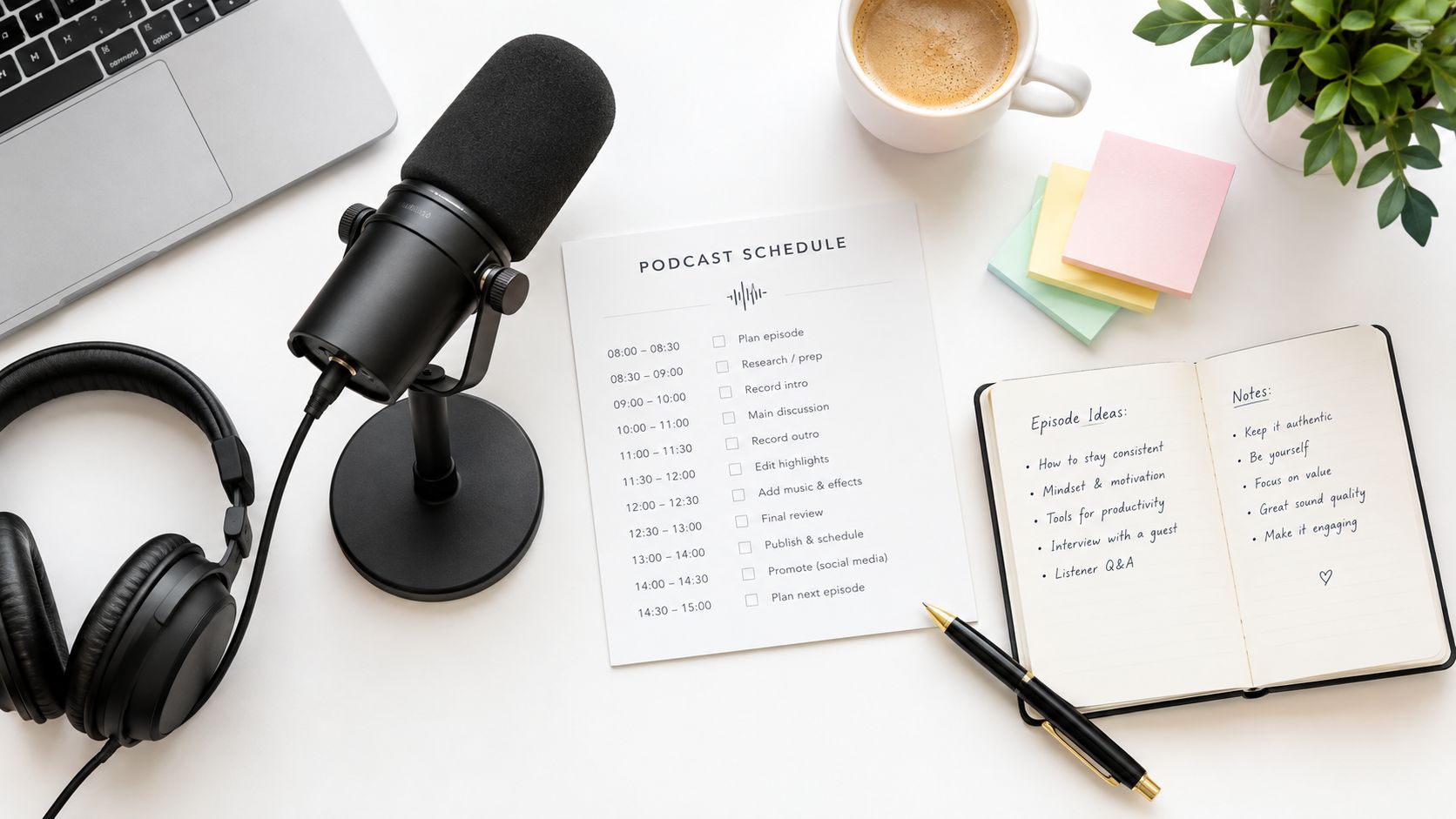
A guest confirms the recording, but the calendar invite shows the wrong time. Your co-host has a different conversion, the video link is buried in an old email, and nobody has allowed space for a microphone check. Ten minutes before recording, everyone is technically present, but the conversation starts tense and rushed.
A useful interview schedule format prevents that chain reaction. For a podcast, it isn't an HR form copied into a shared document. It's a working production brief that gives the guest confidence, protects the recording window, and leaves enough flexibility for a good conversation. The schedule should evolve from booking through recording, with confirmations, technical details, questions, and follow-up instructions kept together.
Table of Contents
- Why Your Podcast Needs a Structured Interview Schedule Format
- Core Components of a Modern Interview Schedule
- Adapting Your Format for Remote and Global Guests
- The Hidden Time Cost of Manual Coordination
- A Practical Podcast Rundown and Timing Template
- Streamlining Your Booking Workflow with the Right Tools
Why Your Podcast Needs a Structured Interview Schedule Format
The guest joins from Singapore, the host is in London, and the producer is still checking whether the recording link handles both microphones. The calendar shows the agreed start time, but no one has allowed space for a sound check or a late connection. The interview begins rushed, and the first minutes are spent repairing a booking process that should have protected the conversation.
A structured interview schedule format gives the host, guest, and production team one operating picture. It records who is attending, when the session starts, how long it should take, where it will happen, what the conversation will cover, and what happens if plans change. That clarity matters when guests are balancing launches, client work, travel, and appearances across different time zones.
Practical rule: Treat the schedule as a living production document. Update it from the first booking message through the final recording reminder.
A useful format also supports better pacing. The host can see the opening, core themes, transition points, and close without searching through scattered notes. The guest receives the broad topics and expected format early enough to prepare, while retaining room to answer naturally. Time-zone conversions, technical buffers, and handoffs between host and producer belong in the same workflow.
The operational case is strong. A 2026 coordination study found that self-scheduling took an average of 26.80 minutes per interview, compared with 243.19 minutes for availability-based manual scheduling, making the manual process about nine times slower (coordination data on podcast guest booking workflows). The same data set recorded 257,946 scheduling events and found that 14% of interviews were rescheduled each cycle. A schedule that records fallback times, updated links, and revised instructions can absorb those changes without forcing the team to rebuild the episode plan.
A good schedule does three jobs:
- Reduces uncertainty: The guest knows the format, timing, platform, and preparation expectations.
- Protects production time: The host and producer can prepare questions, assets, and technical checks from one source.
- Preserves flexibility: The structure keeps the episode moving without forcing every answer into a rigid script.
The recording starts when clear instructions reach the guest, not when the microphones are switched on.
Core Components of a Modern Interview Schedule
A reliable podcast schedule has three layers. Participant details identify the people involved, technical requirements protect the recording, and time management keeps the session focused. Generic interview templates often list names and time slots, but remote production needs all three layers to work together.
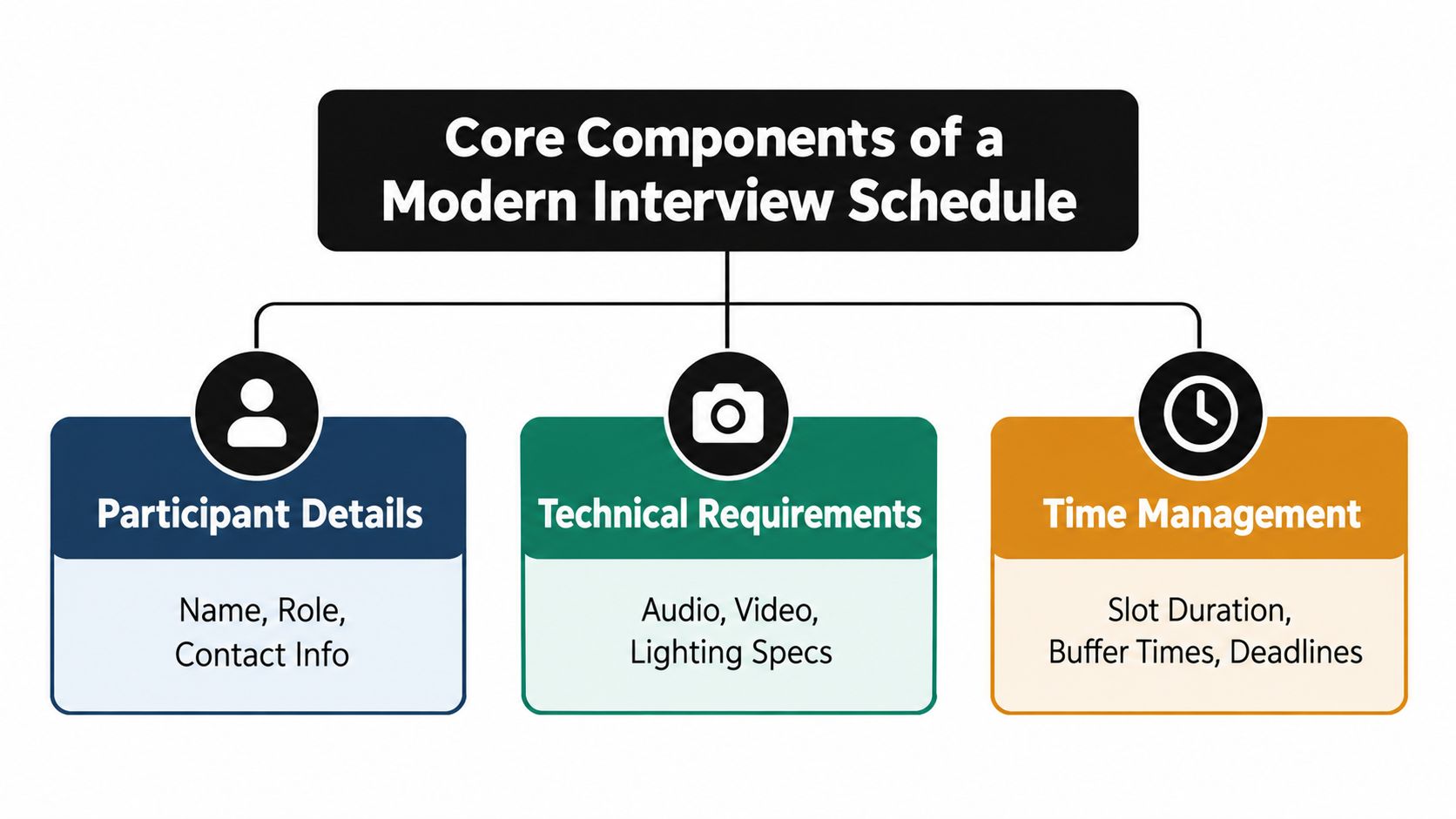
Start with participant and episode details
Put the basics at the top:
- Guest identity: Full name, role, company or project, pronunciation notes, and preferred contact method.
- Production team: Host, co-host, producer, editor, and anyone responsible for technical support.
- Episode context: Working title, recording date, expected duration, publishing purpose, and intended audience.
- Conversation scope: The guest's relevant experience, approved topics, sensitive areas, and any launch or embargo information.
This prevents a common failure. A host may prepare excellent questions but still introduce the guest incorrectly, use an outdated title, or ask about a topic the guest didn't agree to discuss.
Make technical instructions operational
Don't write “check your setup” and leave the guest to interpret it. Include the recording platform, connection link, microphone preference, headphone requirement, camera guidance if video is used, and a contact method for urgent problems. Send a technical check 24 to 48 hours before recording, a practice recommended in remote scheduling guidance for assistants.
The schedule should also identify the recording owner, backup communication channel, file-sharing process, and what happens if the platform fails. These details feel excessive until the primary link stops working.
Design the conversation, not just the clock
A useful question plan contains 8 to 12 core questions, with two or three neutral probes prepared for each major line of inquiry, alongside opening and closing scripts (qualitative research interview schedule guidance). That isn't a demand to ask every question. It gives the host a consistent spine while leaving room to follow an unexpected but valuable answer.
Use broad prompts first, then move toward evidence, decisions, consequences, and reflection. Mark questions as essential, optional, or follow-up only. If the guest answers a later question naturally, skip it rather than forcing repetition.
The best format is neither a bare checklist nor a word-for-word script. It gives the producer enough control to protect the episode's purpose, while giving the host permission to pursue the story.
Adapting Your Format for Remote and Global Guests
A local calendar habit breaks quickly when the guest, host, editor, and producer work in different time zones. The schedule should normalize time before anyone confirms a booking. Put the host's time zone beside every proposed slot, ask the guest to confirm their local equivalent, and repeat the time zone in the calendar title, invite, reminder, and recording-room message.
Offer 2 to 3 concrete booking windows rather than asking, “When are you free?” A scheduling etiquette playbook recommends this approach because specific options reduce conversion friction and make time-zone errors easier to catch (remote interview booking recommendations). The host should also specify the interview format, expected duration, recording platform, and whether the session includes video.
A time zone belongs in every confirmation, not only in the first email.
Use asynchronous confirmation for distributed teams. The guest can reply with a clear acceptance, while the producer records the agreed local time in the central booking thread. Avoid relying on a calendar invite alone, because guests may forward it, view it on a device with a different time-zone setting, or miss an update after a reschedule.
The schedule needs a visible change policy. State who handles rescheduling, how much notice the guest should provide when possible, which channel to use, and whether the original booking remains active until a replacement is accepted. Don't create a second date while leaving the first one ambiguous.
Build a remote-first confirmation block
Include these fields in the booking message:
- Confirmed time: Host time zone and guest time zone.
- Session type: Audio, video, live, edited, or private recording.
- Access details: Recording-room link and backup contact.
- Preparation: Topic boundaries, guest bio, pronunciation, and equipment guidance.
- Technical checkpoint: A short pre-recording check 24 to 48 hours before the session.
- Change process: Rescheduling contact and confirmation requirement.
For a guest-facing preparation checklist, link the schedule to a practical podcast guest readiness guide. Keep the checklist separate from the conversational questions, but make both accessible from the same confirmation thread.
A global workflow isn't slower when it is designed well. It moves decisions earlier, removes ambiguity, and lets the recording team focus on the guest rather than reconstructing logistics from messages.
The Hidden Time Cost of Manual Coordination
A guest confirms the recording, then a calendar conflict appears. The producer moves the session, the editor loses the reserved slot, and the guest receives another thread to interpret. None of those costs appears in the minutes spent writing the original email.
Manual coordination creates work at every handoff. Producers compare replies, check host and guest time zones, verify recording-room availability, account for technical setup, and update the editor when the session moves. A small error can then trigger a missed interview, an unused studio reservation, or a rushed edit window. The scheduling comparison and event data cited earlier makes the time difference visible, but the operational disruption matters just as much.
Guest experience suffers when the process feels uncertain. Repeated questions about the time, recording format, or next step signal that the production team is not working from one reliable schedule. A guest may arrive late, prepare for the wrong format, or abandon the booking after several rounds of clarification.
Manual booking versus self-scheduling
| Workflow | What the producer does | Main weakness |
|---|---|---|
| Availability-based email | Exchanges dates, checks calendars, converts time zones, and sends invitations | Creates delays and leaves room for misunderstandings |
| Pre-set booking windows | Publishes approved slots and lets the guest choose one | Fails when calendar availability is not kept current |
| Centralized scheduling thread | Stores confirmations, changes, access details, and invites together | Breaks down if participants rely on different versions |
Self-scheduling reduces email traffic, but an unrestricted booking page shifts the problem rather than solving it. A guest can select a time that leaves no preparation window, overlaps with the editor's work, or sits too close to another recording. Publish only production-ready slots, reserve a technical buffer, and keep the booking page connected to the calendars that control the episode.
Rescheduling also needs a defined workflow. The original slot should remain the active commitment until a replacement is accepted. Once the new time is confirmed, update the recording room, guest message, host calendar, and editor's schedule together. A single change log prevents the team from editing different versions of the same booking.
Survey findings on interview scheduling delays show how competing commitments can disrupt interview operations (survey findings on interview scheduling delays). Podcast production has its own constraints, including remote guests, equipment checks, and post-production capacity, so the same principle applies: vague timing creates avoidable coordination work.
Use personal outreach to build the relationship, then standardize the calendar mechanics. The producer should manage exceptions, not reconstruct the booking from scattered messages.
A Practical Podcast Rundown and Timing Template
A schedule becomes useful when the host can use it during recording without translating vague intentions into a running order. The following template is designed for a 45-minute podcast interview. The durations are a working allocation, not a rule. Move time toward the guest's strongest material, but protect the opening, technical buffer, and close.
| Phase | Duration | Action Item |
|---|---|---|
| Technical check and welcome | 5 minutes | Confirm audio, video, recording status, name pronunciation, and comfort with the format |
| Host introduction | 3 minutes | Record the show introduction and establish the guest's relevance |
| Warm-up question | 5 minutes | Begin with an accessible prompt that helps the guest settle into the conversation |
| Core conversation block one | 8 minutes | Explore background, context, and the problem or opportunity at the center of the episode |
| Core conversation block two | 8 minutes | Ask about decisions, process, examples, and practical lessons |
| Core conversation block three | 7 minutes | Develop consequences, disagreements, trade-offs, or the guest's distinctive perspective |
| Harder question or synthesis | 4 minutes | Test an assumption, address a limitation, or ask what the guest would change |
| Closing and call to action | 5 minutes | Invite final advice, direct listeners to the guest's work, and record the outro |
Use the rundown as a pacing instrument
The host shouldn't announce every transition. Use the blocks as quiet checkpoints. If the warm-up produces a strong origin story, shorten the background questions and preserve time for the practical section. If the guest gives compact answers, use neutral probes such as “What changed after that?” or “How did you decide between those options?”
Mark each prompt in the question document with a simple status:
- Must ask: Essential to the episode's promise.
- Useful if time allows: Adds depth but can be removed.
- Probe: Helps develop an answer without changing the topic.
- Close: Supports the final takeaway or listener action.
A timed structure can still sound spontaneous. The host listens for the guest's language, follows the most useful thread, and returns to the next core block when the answer reaches a natural stopping point. A podcast interview template with timed segments can help turn that approach into a repeatable preparation document.
Protect the ending
Hosts often spend too long on the final substantial question and then rush the close. Start the closing block while there's enough time to record a clean call to action, correct a name, and capture a short pickup if the outro goes wrong.
Write the final prompt in full. “Anything else?” usually produces a weak ending. Ask for the one action, idea, or decision you want listeners to remember, then give the guest a clear invitation to share where people can follow their work.
Streamlining Your Booking Workflow with the Right Tools
A polished schedule won't solve a fragmented booking system. The production workflow should move in a straight line from guest discovery to fit assessment, outreach, confirmation, preparation, recording, and follow-up. Every handoff creates a chance for the wrong link, missing context, or duplicate calendar event.
Start by filtering for genuine fit and an active show or guest pipeline. Then send a contextual pitch or invitation, attach a concise one-sheet, and move accepted conversations into a centralized scheduling thread. The schedule should be generated from the same record as the guest's name, bio, topic, time zone, and contact details.
Let's Make A Podcast combines a podcast directory with guest and host profiles, one-sheet creation, pitching tools, in-app messaging, and scheduling with calendar invites in one thread. Its free tools also include guest readiness, guest discovery, invitation generation, interview questions, and guest introductions, which can support the workflow without forcing every task into a separate document.
Choose tools by the friction they remove
A tool earns its place when it removes a specific failure point:
- Discovery tools: Reduce time spent searching for relevant shows or suitable guests.
- One-sheet builders: Give both sides a consistent source for bios, topics, photos, and previous work.
- Pitch and invitation tools: Preserve context instead of sending generic outreach.
- Scheduling tools: Offer controlled windows, normalize time zones, and update participants when plans change.
- Central messaging: Keeps approvals, links, questions, and confirmations attached to the same booking.
A guide to podcast interview scheduling tools is useful when comparing whether your current calendar, email, and spreadsheet combination still matches the volume of interviews you want to produce.
The system should remain human where judgment matters. A tool can't decide whether a guest's experience fits your editorial promise or whether a difficult question deserves more time. It can, however, stop you from asking for availability five times, losing the recording link, or sending the guest a schedule with no technical instructions.
Use one schedule as the final source of truth. Update it when the guest confirms, when the recording moves, and when the host changes the question order. That small discipline turns booking from an improvised chore into a dependable production pipeline.
Before each recording, verify the confirmed time, participant list, recording link, technical check, essential questions, and closing call to action. After each episode, note which time blocks ran long and which questions produced the strongest material, then adjust the next schedule rather than copying it unchanged.
Let's Make A Podcast offers a podcast directory, one-sheet tools, pitching support, centralized messaging, and scheduling features that fit a remote-first interview workflow. Visit Let's Make A Podcast to organize guest discovery and build a more reliable path from confirmed booking to recorded conversation.