In App Messaging Best Practices That Get Replies
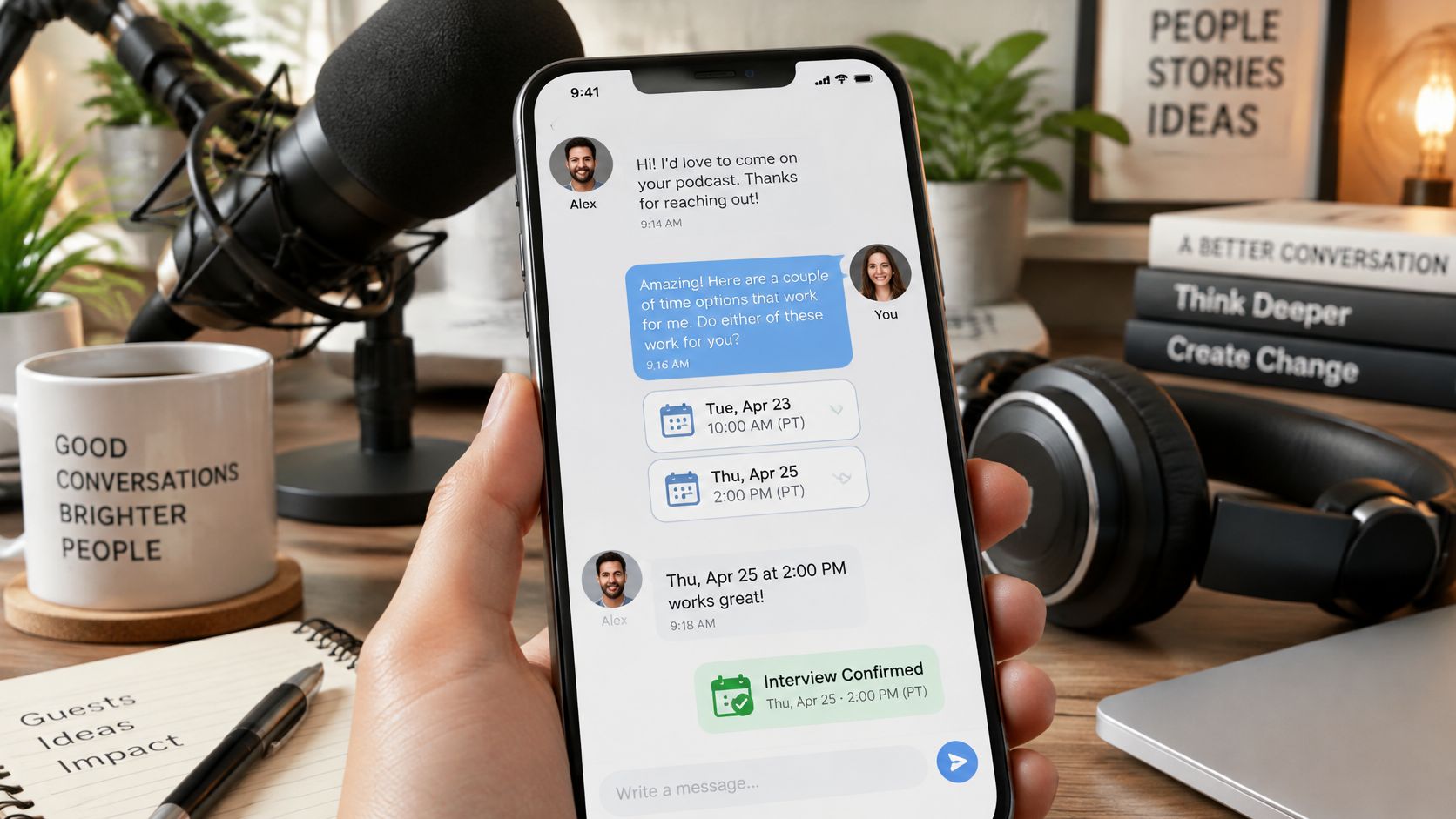
A host opens a pitch at nine in the evening, ready to decide whether the guest fits the show. Instead of help reviewing the pitch, a banner announces new features. The host dismisses it, checks another conversation, and leaves the guest waiting.
That's the wrong interruption at the most useful moment. Good in app messaging best practices help hosts and guests make the next booking decision. Judge each prompt by the interview it helps book, not the attention it briefly captures.
Table of Contents
- Map Each Message to a Moment in the Booking Flow
- Tone and Length Rules for Host and Guest Messages
- Copy Templates for Pitches, Follow-Ups and Confirmations
- Threading, Scheduling and Frequency Limits
- Privacy and Accessibility Controls to Build In
- Measuring Replies and Booked Interviews Instead of Clicks
- Confirm Your Message Plan Before the Next Outreach Push
Map Each Message to a Moment in the Booking Flow
Start with the user's current task, not your announcement calendar. A guest comparing shows needs the pitch route. A host reviewing a relevant proposal needs a clear way to reply.
Customer.io's guide to in-app messaging distinguishes contextual messages shown during active sessions from push notifications that can reach people outside the app. That distinction should shape your workflow: help people act where they already are, and reserve permission-based push or email for bringing inactive participants back.
Trigger-to-Message Map for the Booking Flow
Use the following as an example operating policy, not a universal timing benchmark. Its follow-up timing uses business days.
| Booking moment | In-app message | Single call to action | Suppress when |
|---|---|---|---|
| Guest saves a closely matched show | Review the show's pitch route | Open the pitch route | Guest has already sent a pitch |
| Pitch sent with no reply after three business days | Prepare a follow-up | Open the follow-up generator | Host has replied |
| Host replies to a pitch | Confirm availability | Propose two time slots | An invite already exists |
| Host changes availability | Review updated times | Accept or counter-propose | Thread is closed |
| Calendar invite accepted | Add prep notes for the recording | Save prep notes | Recording is already booked |
| Booking completed | None, no acquisition prompts | None | Always |
Treat invite acceptance and booking completion as distinct states only if your workflow separates them. Otherwise, offer prep notes as an ordinary thread action rather than firing a banner that your booking suppression rule should immediately remove.
A saved-show prompt belongs on the saved show's detail page. A follow-up prompt belongs in the unanswered conversation, not over a guest's search results. Scheduling guidance belongs beside the availability controls.
Weekly broadcasts ignore those differences. They ask everyone to notice the same thing, even when each person needs a different next step.
Screen-and-action test: Before approving a message, name the screen where it appears and the action someone can complete there.
If you can't name both, don't ship the prompt. Rewrite it around a booking event, or leave the information in a product updates area where interested users can find it.
Tone and Length Rules for Host and Guest Messages
Compare these hypothetical openings.
Praise-led pitch
I really enjoy your podcast and would love to share my expertise with your audience. I think we could have a great conversation about leadership.
Episode-led pitch
Your episode about promoting technical specialists raised a useful question about first-time managers. I can explain how to delegate decisions without becoming the team's approval bottleneck.
The second version gives the host something to evaluate: an episode connection, a defined topic, and a practical audience benefit. It deserves a place in the reply queue because the host doesn't have to invent the interview angle.
Write for a Decision, Not a Compliment
- Name the fit immediately. Put the show, episode, or guest's topic in the opening line. Generic admiration takes space without establishing relevance.
- Ask a bounded question. Ask whether the angle fits, or offer a choice of available times. Don't combine topic approval, scheduling, biography review, and promotion requests in the same message.
- Cut until the action is obvious. A banner shouldn't need scrolling. Keep supporting credentials in the one-sheet and background information in the thread, where readers can choose to inspect it.
- Address the recipient directly. Use “you” and “your” naturally, without inventing familiarity. Remove exclamation marks and urgency language that make an ordinary booking request feel like a sales deadline.
Tone should change as the relationship develops. First contact should be courteous and brief; confirmations can be warmer because the host has already agreed to participate. A reschedule message should apologise once, explain the practical change, and offer a workable alternative.
Don't confuse brevity with abruptness. “Send times” is short but unhelpful; “Would either proposed time work for your recording?” gives the recipient a clear decision without sounding like an instruction from a stranger.
Read the message aloud before sending it. If it sounds like a campaign addressed to a database field, replace the opening with something only this host or guest would recognise.
Copy Templates for Pitches, Follow-Ups and Confirmations
Use these as editable drafts, not automated sequences that continue regardless of replies. The bracketed slots identify information the writer must supply.
For a hypothetical outreach schedule, send the first follow-up three business days after the pitch and the final note seven business days after that. These are the only follow-ups in the sequence.
Pitch With a Specific Interview Angle
Slots: Host first name, show title, recent episode title, episode takeaway, guest angle, relevant experience, audience benefit.
Hi [host first name], your [show title] episode on [episode title] raised [specific takeaway]. I can offer a complementary conversation about [guest angle], drawing on [relevant experience].
Your listeners would leave with [practical benefit]. Would that angle fit an upcoming interview?
The episode takeaway changes most often because it must match the actual feed. Delete secondary credentials before cutting the audience benefit; these podcast pitch examples can help you distinguish evidence of fit from biography padding.
Follow-Up With Something New
Slots: Host first name, proposed topic, fresh detail, relevance to listeners.
Hi [host first name], following up on [proposed topic]. An additional detail that may help you assess the fit: [fresh detail from the guest's one-sheet].
That would give your listeners [specific application]. Is this an angle you'd consider?
Change the fresh detail, not just the greeting. Delete the recap if the original pitch is visible directly above it.
Final Follow-Up
Slots: Host first name, topic, future relevance.
Hi [host first name], this is my last message about [topic]. I'll close the loop for now.
If [future relevance] becomes useful for your programme, you're welcome to reopen this thread. Thanks for considering it.
Tailor the future relevance to the show rather than suggesting artificial urgency. Remove the final courtesy sentence if the message feels padded.
Reply to an Acceptance
Slots: Host first name, agreed angle, proposed slots, time zone.
Thanks, [host first name]. I'm glad [agreed angle] fits.
Would [first date and time] or [second date and time], both in [time zone], work for you?
Availability changes most often, so verify it immediately before sending. Delete further selling: the host has already accepted the premise.
Recording Confirmation
Slots: Recording date, start time, time zone, duration, call link, prep topics.
You're confirmed for [date] at [time and time zone], for [duration].
Join through [call link]. Prep topics: [single line of agreed questions or themes].
Check the call link whenever the recording setup changes. Delete repeated biography details, not logistics.
The free pitch generator and follow-up generator can produce starting drafts. Edit the opening line by hand so it reflects the actual episode and conversation.
Threading, Scheduling and Frequency Limits
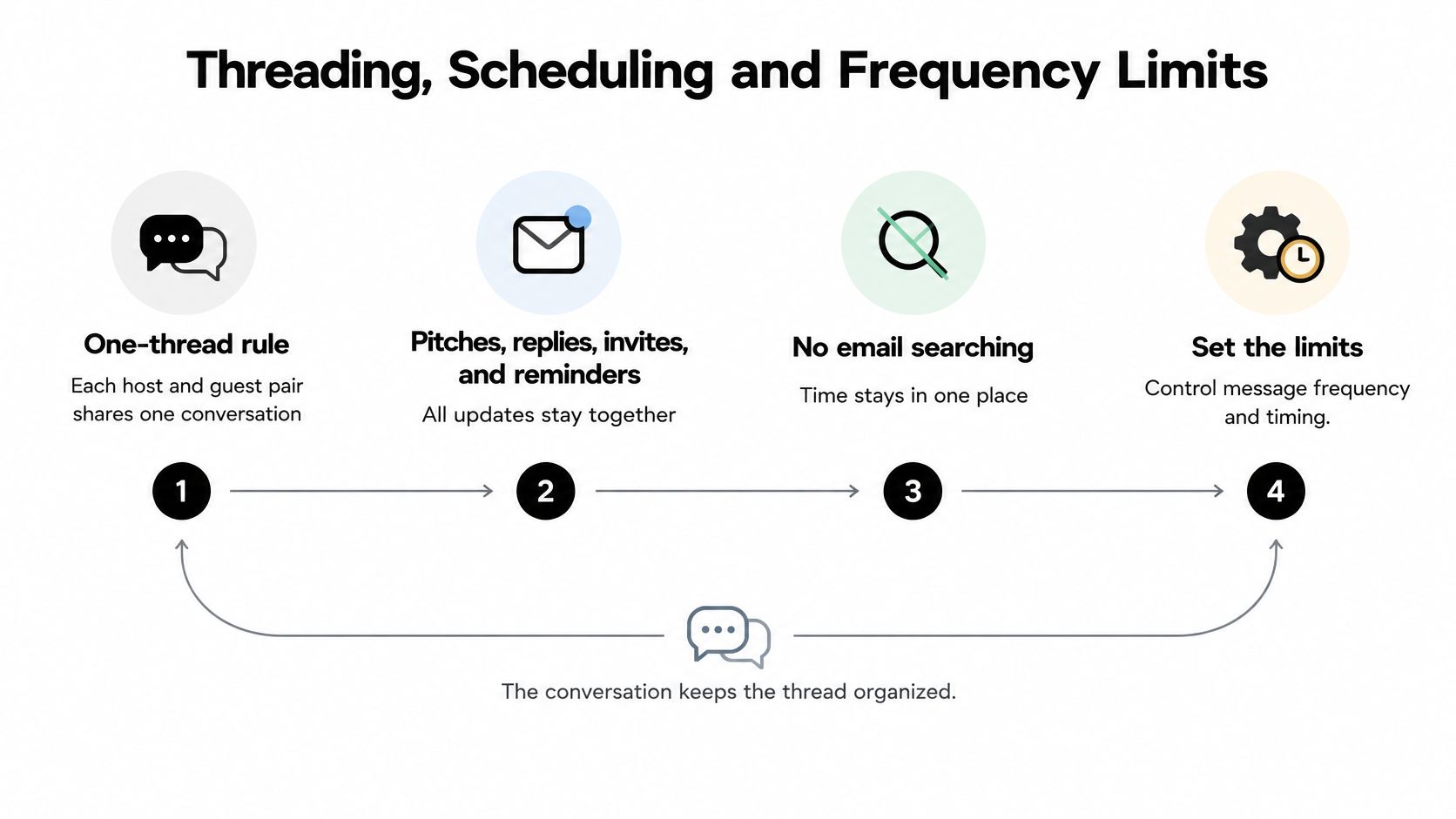
Keep each host and guest pair in a shared conversation. Pitches, replies, invites, reminders, and preparation notes should stay together so neither participant has to search email to reconstruct the agreement.
Use the thread to organise the booking, not merely to display messages.
Apply an Explicit Delivery Policy
For an example implementation, use these starting limits and test them rather than presenting them as established benchmarks:
- Daily cap: Allow at most two in-app prompts per person per day across booking threads.
- Expiry: Remove scheduling prompts after 48 hours and review prompts after seven business days.
- Sending window: Queue human outreach for the host's local morning and avoid weekend first contact.
- Stop conditions: End acquisition prompts once a booking exists, and allow no more than the planned follow-up sequence.
Pitch-to-Recording Timeline Inside One Thread
| Timing in the example policy | Thread event | Message or action | Limit |
|---|---|---|---|
| Business day zero | Pitch sent | Thread opens with no prompt to the guest | One pitch per pair |
| Business day three | No host reply | Prepare a follow-up prompt | Stops once the host replies |
| Business day ten | Still no reply | Final note marked as the last message | No further follow-ups |
| Within 48 hours of a reply | Host replies | Confirm availability with two time slots | Scheduling prompt expires after 48 hours |
| After agreement | Calendar invite accepted | Add prep notes to the thread | Acquisition prompts stop |
| Reschedule | Host changes availability | Review updated times in the same invite | Replaces the original invite |
An interview scheduling email should carry the same agreed logistics as the thread. A reschedule updates the existing invite instead of creating competing appointments.
Build the workflow by instrumenting pitch creation, host replies, and calendar completion; deriving lifecycle segments; triggering a message for the relevant state; assigning a single-purpose CTA; applying caps and expiry; and evaluating completed bookings. Airship's in-app messaging guide supports contextual delivery rather than interrupting active research or composition.
Fewer prompts may mean slower nudges. That's acceptable if users abandon fewer conversations. Test that trade-off instead of assuming more exposure means more progress.
Privacy and Accessibility Controls to Build In
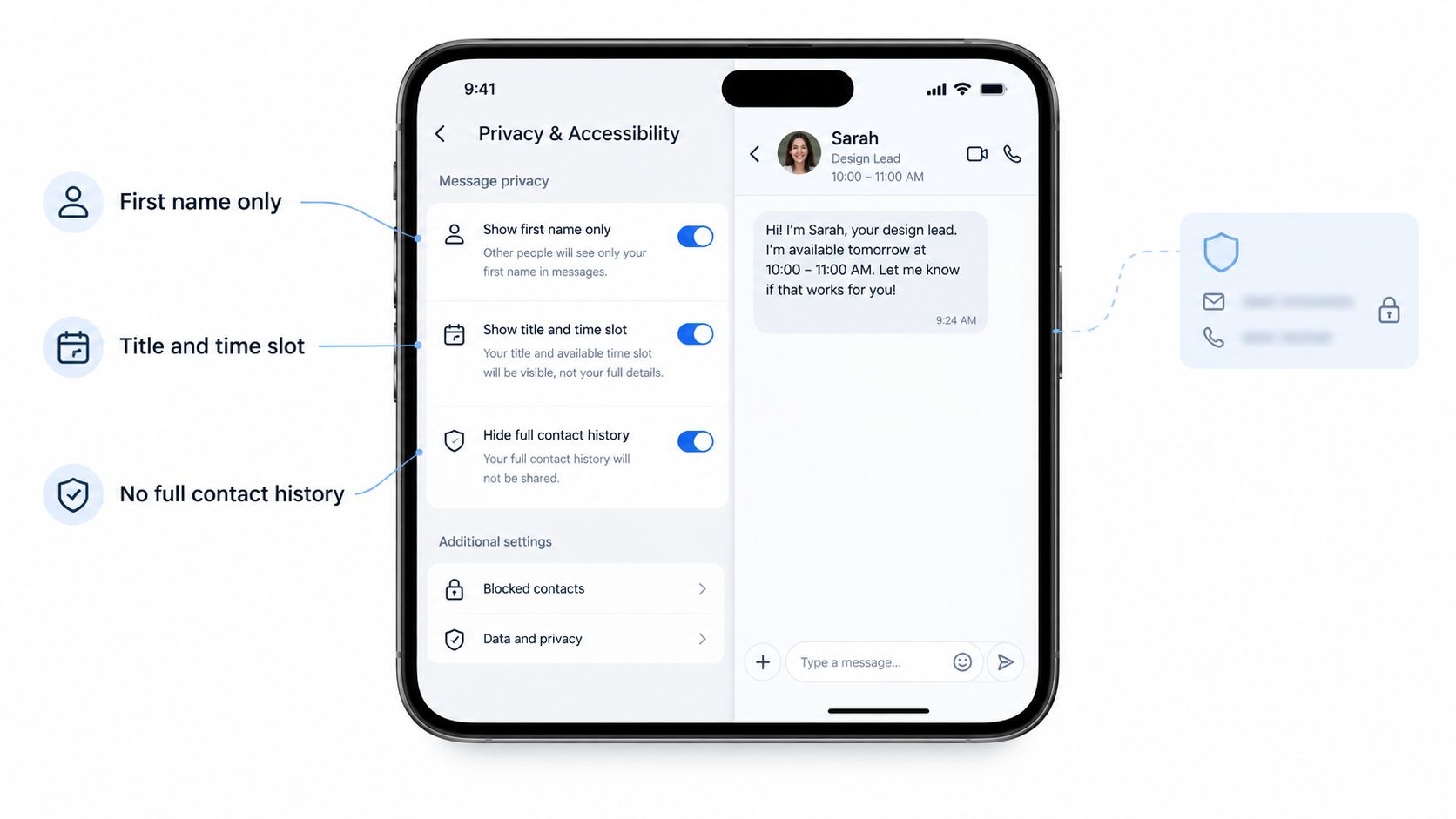
Show only what the recipient needs to act: a first name, show title, proposed topic, or time slot. Don't put an email address, private contact history, or internal assessment into a banner just because those fields are available.
Keep public profile information separate from private coordination. A guest may want a one-sheet shared widely while keeping availability and correspondence inside the booking thread.
Make Saving and Dismissal Understandable
For standalone tools, prefer a no-save default unless someone deliberately publishes a one-sheet. Explain that distinction near the publishing action and attachment footer, but only promise non-storage after checking application logs, analytics, and service-provider behaviour.
Every prompt needs an accessible dismiss control. Give users a thread mute option, explain whether it affects optional reminders or booking updates, and don't resurrect a dismissed prompt while the underlying state remains unchanged.
Dismissing a banner must never mean losing access to the booking information it contained.
Keep Critical Updates Available
The W3C mobile guidance applying WCAG 2.2 explains that status messages should be available to assistive technologies without forcibly moving focus. Treat that as a design baseline, not a final compliance badge.
Implement the live behaviour deliberately:
- Announce changed states politely. Use a polite live region for a new booking status without moving keyboard focus away from the user's current task.
- Avoid repeated announcements. Don't announce the same unchanged status whenever the screen rerenders.
- Preserve recovery actions. A failed invite needs a plain-language reason and a persistent retry button after the banner closes.
- Respect display preferences. Honour reduced-motion settings and don't communicate status through colour or sound alone.
- Keep a durable record. Leave booking changes and errors as readable text in the thread.
Use an accessibility checklist alongside hands-on testing with keyboard navigation and a screen reader. Verify that a user can discover the update, understand it, complete the action, and return to their previous task without chasing a disappearing toast.
Measuring Replies and Booked Interviews Instead of Clicks
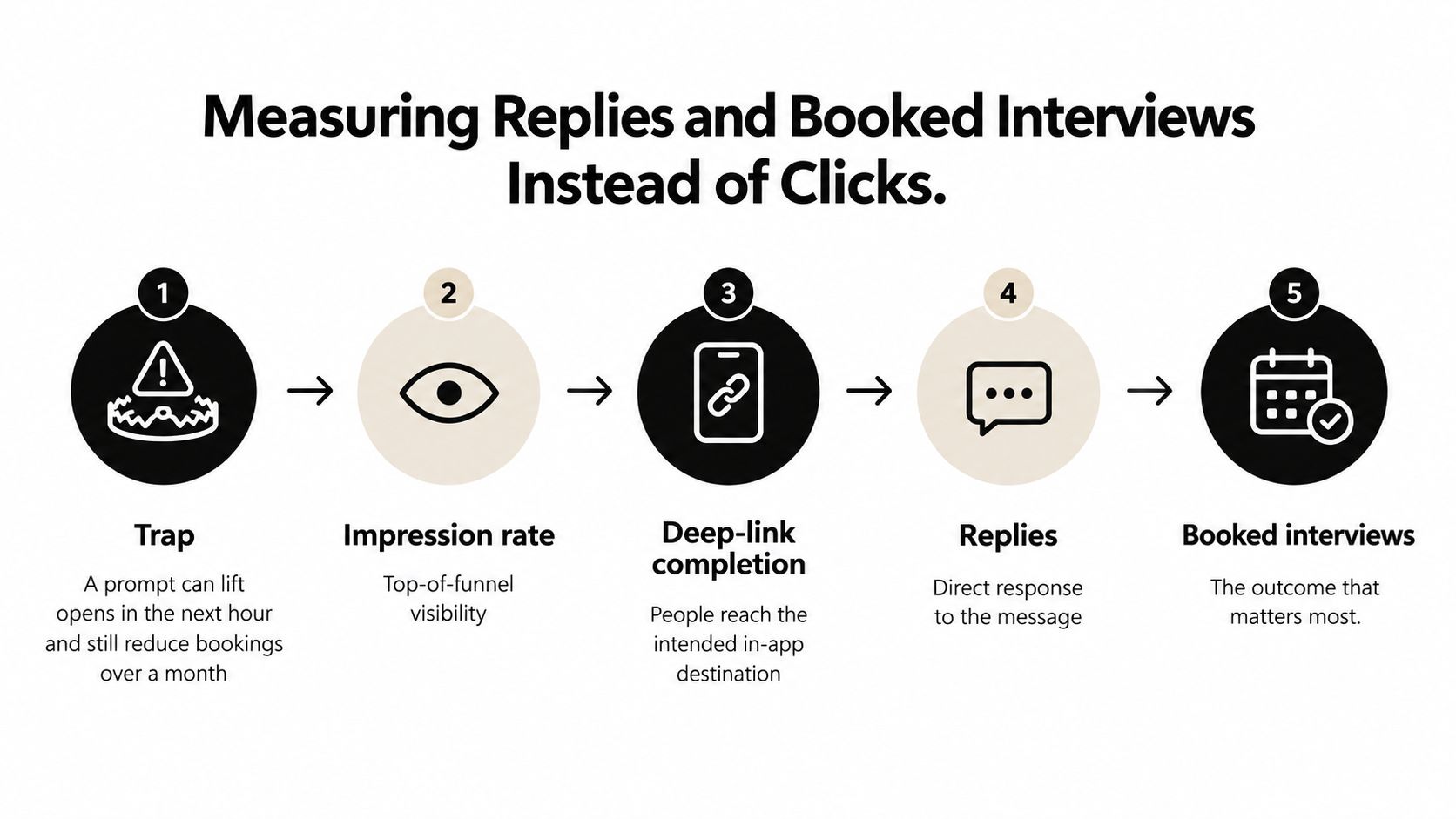
A prompt can lift opens in the next hour and still reduce bookings over a month. Hosts may open a conversation to clear an alert, then mute the thread because the guest has sent another irrelevant reminder.
The Batch push-notification benchmark reports contextual push campaigns averaging a 14.4% open rate versus 4.19% for generic campaigns. Those are push open rates, not evidence that an in-app booking prompt produces interviews.
Metrics That Show Whether a Message Produced a Booking
Define the denominator before launching. Outcome rates should use eligible participants or conversations, not just people who clicked.
| Metric | Definition | How to read it |
|---|---|---|
| Impression rate | Share of eligible users who see the message | Checks whether placement and delivery work |
| Deep-link completion | Users who reach the intended screen through the message | Indicates whether the CTA matches the task |
| Qualified reply rate | Replies that name a relevant topic or agree a time | Main progress signal for pitch and follow-up prompts |
| Accepted invite rate | Share of eligible conversations with an accepted calendar invite | Measures scheduling progress |
| Completed recording rate | Share producing a recorded interview within the test's chosen observation window | Final outcome to compare with the holdout |
| Dismiss and opt-out rate | Shares closing the prompt or muting further prompts | Rising rates warrant a fatigue investigation |
| Seven-day retention | In an example weekly check, users returning for a meaningful task after exposure | Distinguishes continued use from a brief open |
A polite acknowledgement isn't automatically a qualified reply. Define qualification before the test, and apply the same standard to exposed and unexposed conversations.
Use a Holdout That Can Disprove Your Assumption
Randomly assign eligible users to receive the prompt or have it withheld. Keep assignments stable, preserve ordinary messaging in both groups, and avoid putting the same host's conversations into competing experiences when that could contaminate the comparison.
For an example test, observe each eligible conversation for 30 days from first contact. Compare completed bookings and recordings, then inspect qualified replies, dismissals, complaints, and retention for harm.
Predefine the minimum improvement worth acting on and the sample size needed to detect it. Don't stop the moment the chart looks favourable; if the result remains uncertain, collect more observations under the same protocol or report it as inconclusive.
A lower-click prompt is better if it produces fewer irrelevant pitches and more completed interviews.
Review completed recording rate, qualified reply rate, and dismiss or mute rate each month. Opens belong in delivery diagnostics, not the headline result.
Confirm Your Message Plan Before the Next Outreach Push
Choose the booking moment where your own participants stop progressing. If guests send relevant pitches but hosts never reply, don't start by redesigning calendar reminders.
Run a Small, Controlled Launch
Choose a specific conversation state. Draft a message for that state using a named topic and an actual episode reference. Write down its screen, CTA, audience, and suppression condition before anyone builds the banner.
Freeze the delivery policy. Give an owner responsibility for frequency caps, expiry, and reply-driven cancellation. Test the awkward cases: a host replies while a prompt is queued, an invite fails, or a guest mutes the thread.
Create the holdout before launch. In a hypothetical pilot, withhold the prompt from a random tenth of eligible users and use a 30-day observation window. Keep the copy and eligibility rules unchanged during the experiment so you can interpret the result.
Make the decision from outcomes. Compare recorded interviews alongside qualified replies and dismissals. Retire a reply-stage prompt that doesn't improve meaningful responses unless stronger downstream results justify keeping it; don't preserve it because its click rate looks attractive.
The pitch and follow-up generators can help prepare a draft, but the writer still owns the opening line. Check the episode reference, remove unsupported claims, and make the question easy to answer.
Review the decision again after a complete booking cycle. A message that can't pass the screen-and-action test shouldn't enter the experiment at all.
Let's Make A Podcast connects hosts and prospective guests through show discovery, one-sheet profiles, pitching tools, and scheduling in a shared thread. Visit Let's Make A Podcast to find relevant interview opportunities and organise the conversation from first pitch to recording.