Email Template for Outlook: 10 Ready Options
You already know the note before you open it. A guest who fits the show, a host booking interviews every week, the same pitch, the follow-up a few days later, the scheduling note with the calendar link, and the thank-you after the recording. Rewriting those from the sent folder spends the hour you meant to use on the interview.
An email template for Outlook only helps when it matches the job. Saving a complete message is not the same as dropping a short snippet into a reply. A shared library is not a branded HTML layout. A campaign tool is not a one-to-one booking email. Pick the wrong type and you spend the saved time fixing formatting, hunting a file on another computer, or explaining why the team sent three versions of the same invite.
For podcast pitching, sort the options by what they do in a real week of outreach.
- Saved emails hold a full invitation or confirmation, including the subject and any attachment.
- Snippets insert a booking line or a short fit statement without rebuilding the message.
- Shared libraries keep approved wording when more than one person sends from Outlook.
- HTML builders matter when a newsletter has to look like the show, not a plain note.
- Campaign tools send to a list. They are a poor fit for a personal pitch that should mention a recent episode.
The ten options below follow that split. Native Outlook comes first, then team add-ins, then design and sending tools, then Microsoft's own guide for choosing among them. Let's Make A Podcast users can keep the reusable parts in Outlook and still change the show name, topic, and next step before anything goes out.
Table of Contents
- 1. Outlook Mail Templates
- 2. My Templates
- 3. Shared Email Templates by Ablebits
- 4. Mailbutler Email Templates
- 5. Toggles for Outlook
- 6. Stripo
- 7. Litmus Email Templates Hub
- 8. Beefree
- 9. Constant Contact Email Templates
- 10. Microsoft's Outlook Template Guide
- Top 10 Outlook Email Template Resources Compared
- Turn Templates Into Booked Interviews
1. Outlook Mail Templates
Outlook Mail Templates is the native place to park a whole message you send again with small edits. Microsoft documents template support across new Outlook for Windows, classic Outlook, and Outlook on the web, and treats the feature as a reusable message inside Outlook rather than a separate document you manage elsewhere. A saved template can keep recipients, a subject line, the body, and attachments, which is more than a copied paragraph.
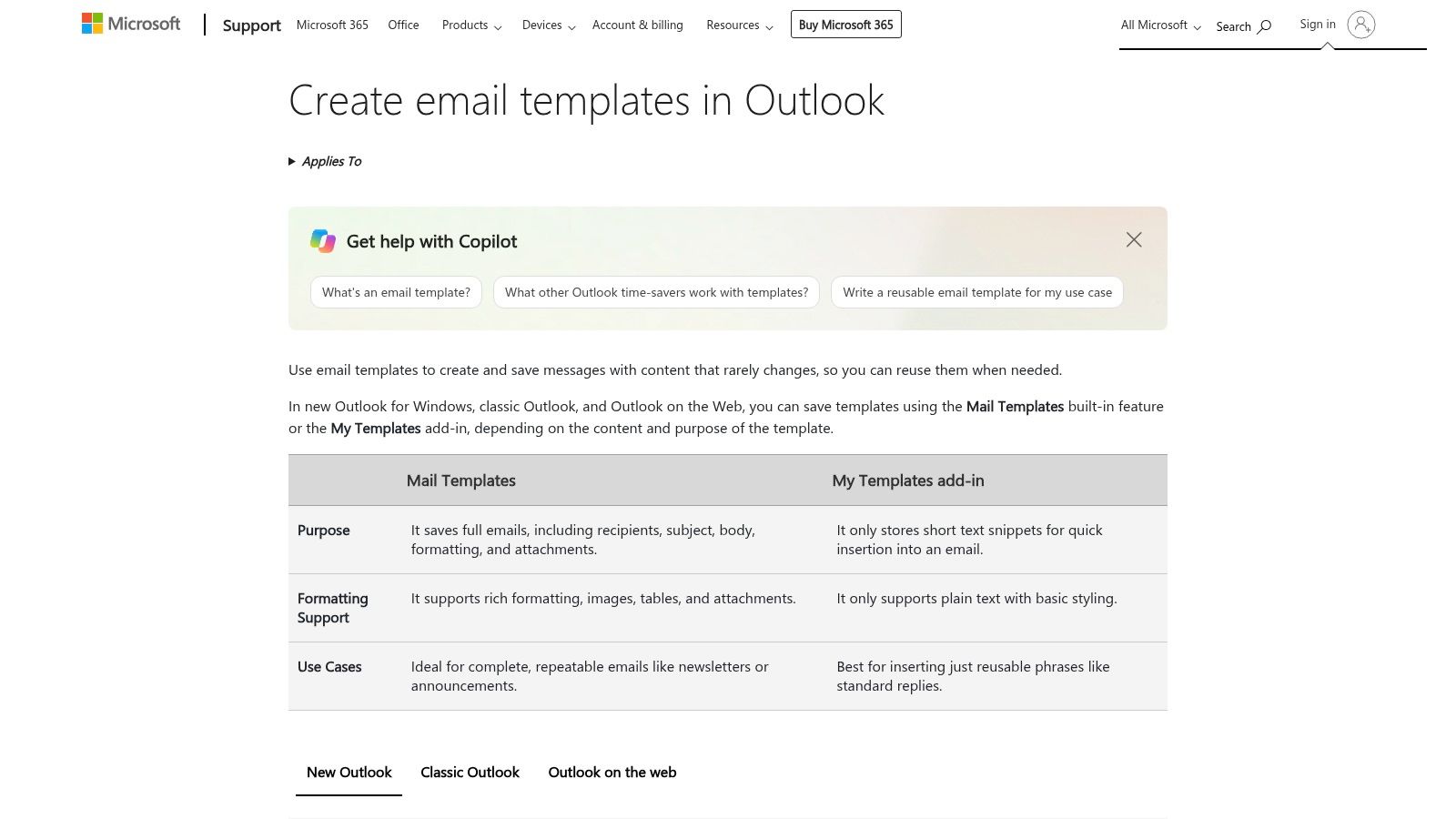
That attachment piece is why it fits podcast booking better than a text dump. A guest invitation can carry a one-sheet. A confirmation can carry prep notes. You still edit the name, the episode angle, and the date before you send. Microsoft's guide to creating and editing Outlook templates also draws a hard line on the newer experience. Templates there are comparable to Quick Parts, and that workflow is text-only, without graphics or formatting. Classic .oft files can be imported and later opened as mail from a template, but signatures, calendars, and files need a test after any move.
Where it fits a pitch week:
- First invitation: Save the structure, then rewrite the fit line for that show.
- Booking confirmation: Keep the prep list and the file, and change only the slot.
- Account limit: The template stays with the account that created it, so a shared producer inbox is not automatic.
If the message must look branded in every client, this is the wrong layer. Use it for complete, lightly personalized mail, not for a designed newsletter.
2. My Templates
My Templates solves a smaller job. It stores named text you insert from a pane while you compose, which is the right tool for an intro, a booking link, or one follow-up line. It is the wrong tool when you need a formatted invitation with a subject, recipients, and a file already attached.
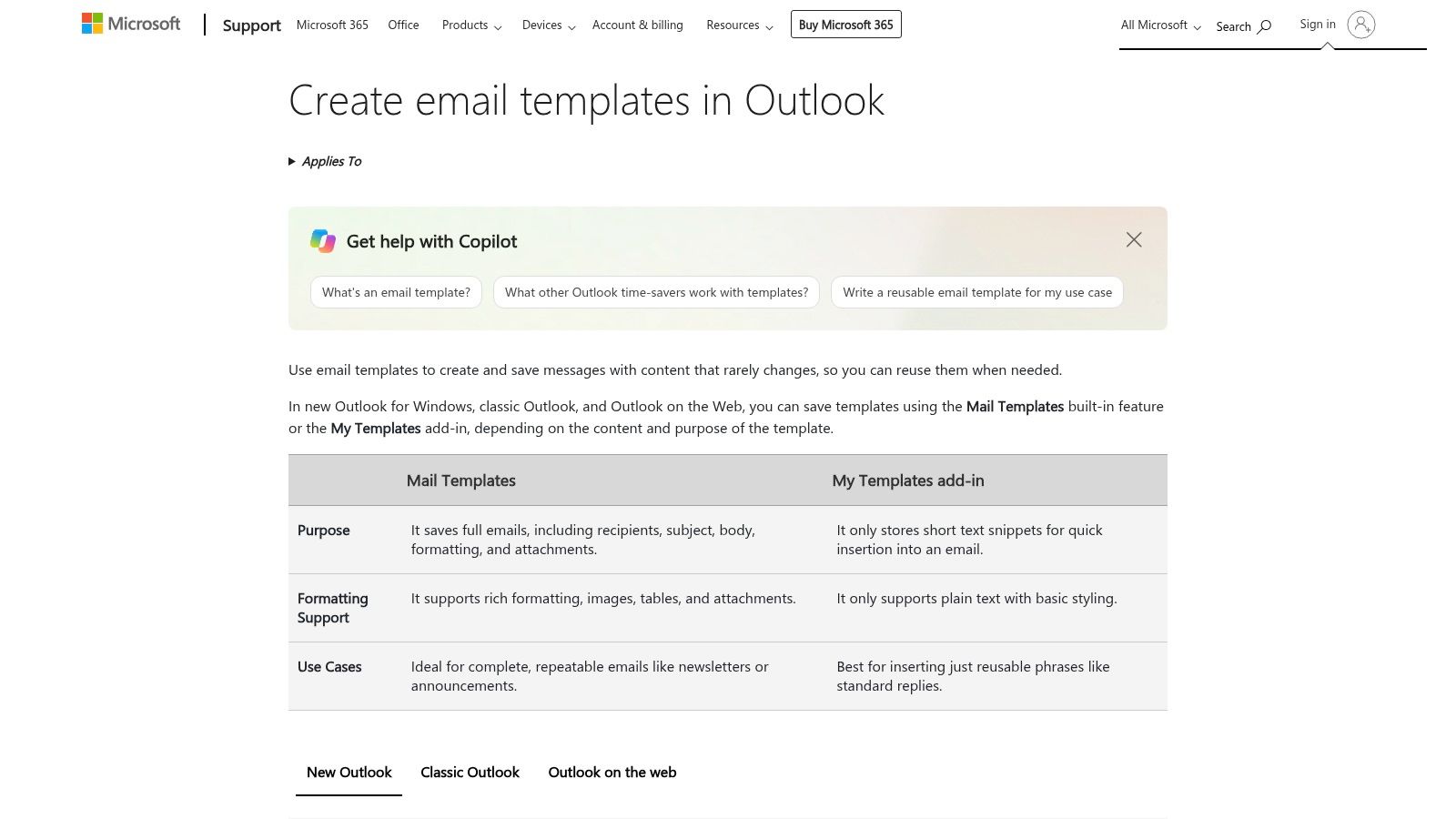
Snippets live with the primary mailbox, so the same lines can show up in supported Outlook clients when you are signed into that mailbox. That convenience breaks down for teams. A practical note on Outlook template limits points out that My Templates has a total 32 KB restriction, and that templates created in a shared mailbox may not be visible or editable for other people unless that mailbox has been promoted to a full account. Quick Parts in classic Outlook are stored locally and can be corrupted, overwritten, or lost after an update.
Practical rule: Keep My Templates for short lines you paste into a real email. Do not treat a snippet pane as the master copy of your pitch library.
A producer and a guest coordinator will outgrow it fast. Administrators can also disable add-ins, so confirm the pane is allowed before you train anyone on it. For a marketplace pitch, store the episode-reference sentence and the ask here, and keep the full invitation in Mail Templates.
3. Shared Email Templates by Ablebits
When two people send the same guest invite, a personal saved draft becomes a version-control problem. Shared Email Templates by Ablebits is an Outlook add-in built as a library, with folders, shared templates, fillable fields, attachments, images, and meeting templates. It works with several Outlook versions, including new Outlook and Outlook on the web, and a free plan exists for a lighter start.
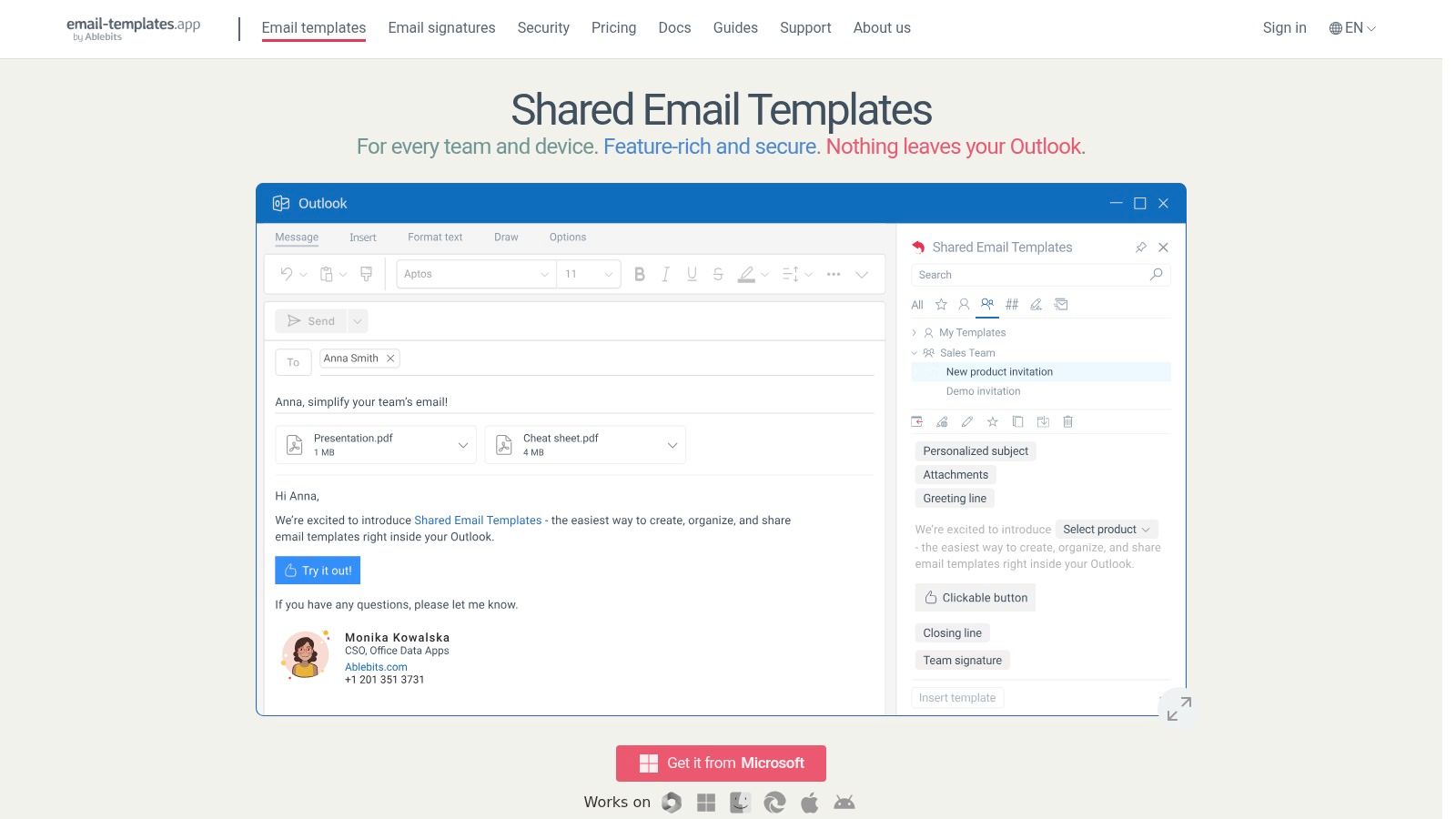
Setup is the trade-off. You are adding a product, reviewing how it handles template content, and paying per user once you leave the free plan. That is more friction than clicking save inside Outlook. It is also the first option on this list that behaves like a team source of truth instead of one person's mailbox.
For Let's Make A Podcast style outreach, use fields for the show name, the recent episode you are referencing, and the proposed topic. Lock the rest: who you are, why the fit matters, and the single next step. Meeting templates help when the follow-up is really a scheduling email rather than another pitch. Do not dump every historical variant into the library. Name versions by job, such as first pitch, nudge, and booking confirm, or people will insert the outdated one.
The Ablebits email templates app is the right step up when approved copy has to stay consistent and native snippets are too small. It is extra machinery if you send five personal notes a month from one account.
4. Mailbutler Email Templates
Mailbutler is the cross-client option. The same template habit can sit in Outlook, Gmail, and Apple Mail, which matters when a host lives in Outlook and a publicist still works in Gmail. Reusable messages, dynamic placeholders, team sharing, and an HTML Designer for custom-coded templates are the core pieces.
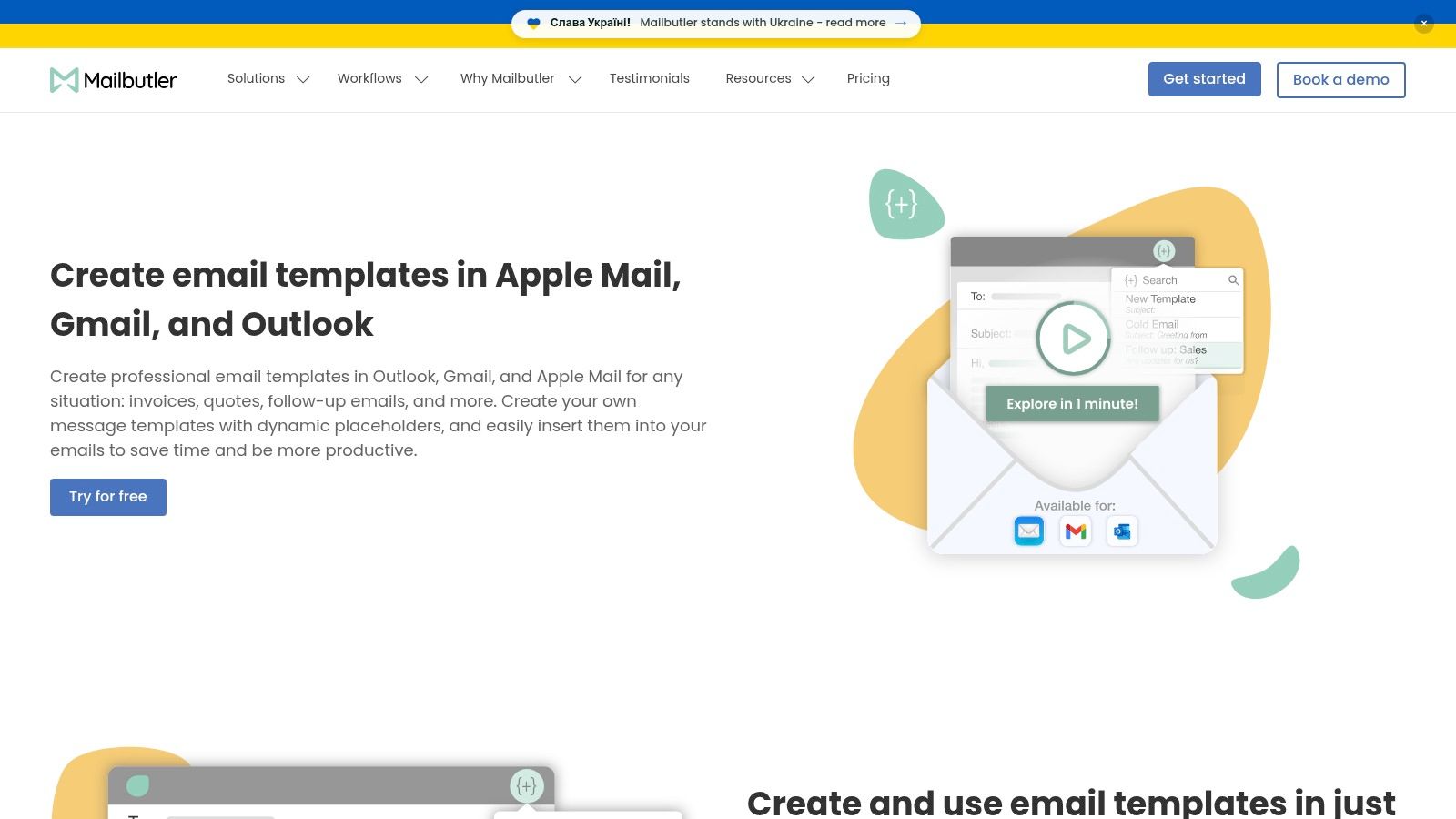
Placeholders are the useful part for pitching. A blank for the host's name and a blank for one specific episode stop you from sending a mail-merge tone to a person who can tell. Advanced template features can sit on a paid plan, and some behavior still depends on the Outlook version and the account type. You are trusting an extension, not a built-in command.
If you want the draft itself generated before it ever lands in Outlook, a separate AI email template generator can produce the pitch language. Mailbutler is where that language becomes a reusable, personalized send. The Mailbutler email templates page is worth reading before you standardize a team on it, because the HTML Designer invites designs that one-to-one pitches rarely need.
Use it when people already split across mail apps. Skip it when everyone is on one Microsoft 365 tenant and a native template is enough.
5. Toggles for Outlook
Toggles is less a snippet box and more a repeatable workflow inside Outlook. A template can carry approved wording, variable fields, recipients, a signature, and attachments, then get shared so client-facing mail is assembled the same way each time.
When a process beats a paragraph
That scope helps a booking desk. A producer can start from a guest-invite workflow that already includes the right mailbox, the one-sheet, and the scheduling sentence, instead of copying last Tuesday's sent item. The team plan adds admin controls and usage reporting, which is how you see whether people still bypass the approved version.
It is too much product if you only need three personal replies. Business Pro has a five-seat minimum, so a solo host should not start there. You also have to be willing to store workflow content with a third party.
A shared workflow fails the morning someone sends the guest invite from the show's public mailbox by accident. Check the From line before you admire the template.
The Toggles site is the place to confirm whether your Outlook setup is supported. For a network show, the win is fewer hand-built emails. For a solo guest, Mail Templates or My Templates will feel faster.
6. Stripo
Stripo starts from design, not from the Outlook compose window. The drag-and-drop editor, template gallery, HTML export, direct Outlook export, and test-email tools suit newsletters and announcements. They are a slow way to write "Are you free Thursday?"
Legacy Windows Outlook renders message bodies through the Word engine. Outlook desktop HTML rendering guidance is blunt about the result. Flexbox, CSS Grid, complex selectors, and some background images are ignored or misread. Build with nested tables, inline CSS, a constrained width, web-safe fonts with fallbacks, and Office conditional comments when you need a fixed-width ghost table.
Design habits that survive Outlook:
- Tables, not modern layout: Put columns in nested tables.
- Inline styles: Set type and spacing on each element.
- A real text link: Do not hide the booking URL inside an image button.
A free tier exists, and the free plan limits exports. You are also maintaining a design file outside the mailbox, then exporting it. If you are comparing builders, this HTML email template generator is a useful companion read before you lock a layout. Export from Stripo only after you have opened the file in the Outlook versions your guests actually use.
7. Litmus Email Templates Hub
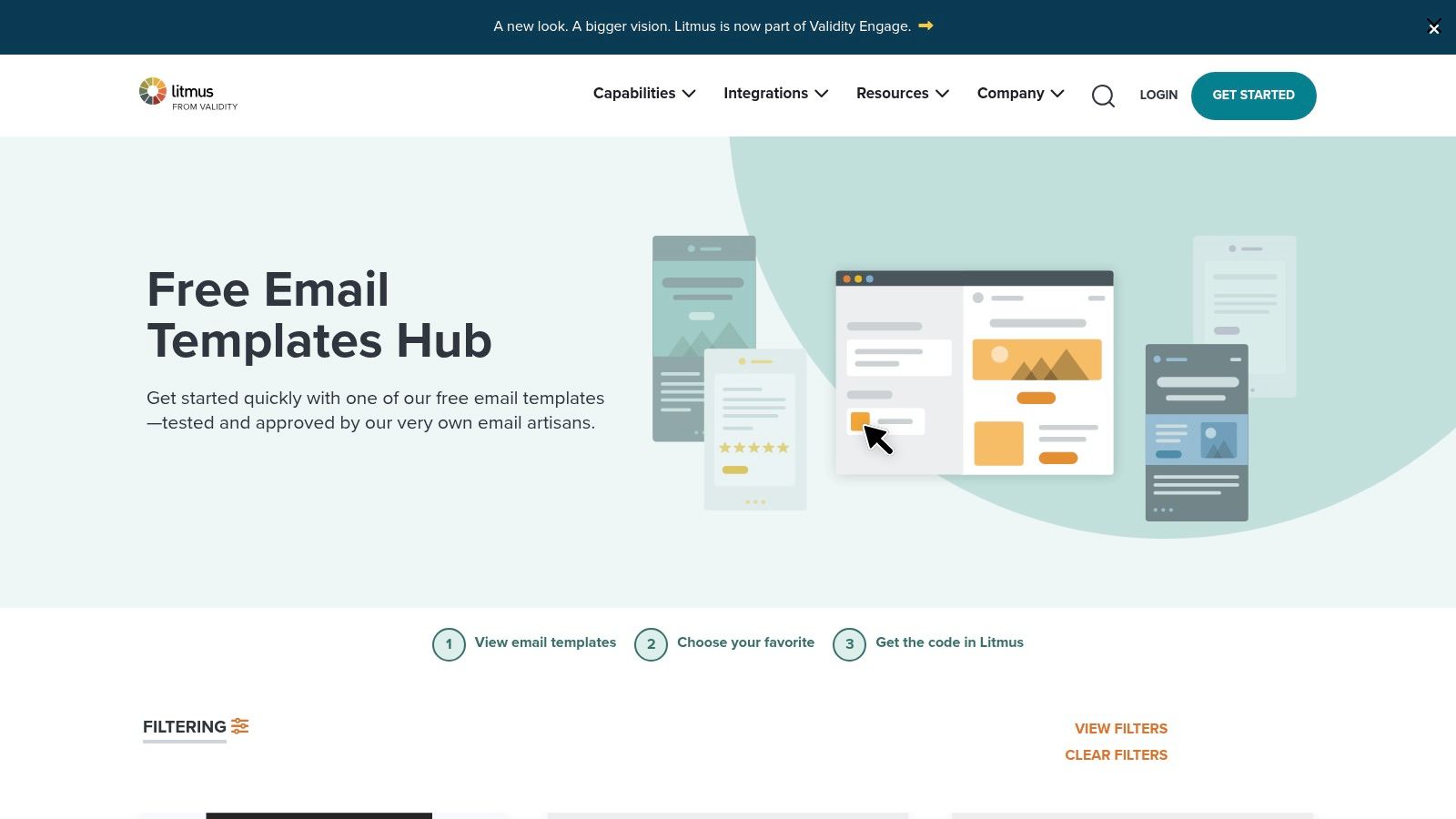
Litmus is a library, not an Outlook save button. You browse free HTML templates by category, copy or export the code, and adapt it. Litmus says the layouts were tested across a wide range of email clients and devices, including Outlook. You need a Litmus Community account to reach the code, and you do not need a paid subscription for those free templates.
Microsoft treats HTML as Outlook's default format when you need fonts, colors, lists, or inline images, and it also warns that the recipient's software can convert that HTML. Microsoft's note on how Outlook handles email format is the reason to design for progressive enhancement. The plain text should still make sense. The booking link should be visible text with a descriptive label. Images need real alternative text. For a guest pitch, put the episode reference, the fit, the topic, and the ask in ordinary sentences before any decoration.
These files are not saved Outlook messages. You still import or paste them, and appearance can change between new Outlook and older Windows Outlook. Start at the Litmus email templates hub when you want a tested announcement layout. Do not start there for a five-line follow-up.
8. Beefree
Beefree is the handoff tool for people who should not be editing HTML. The drag-and-drop editor, customizable templates, and review features let a small team design a branded message, then push it to Outlook on the web and save it as a template in the account.
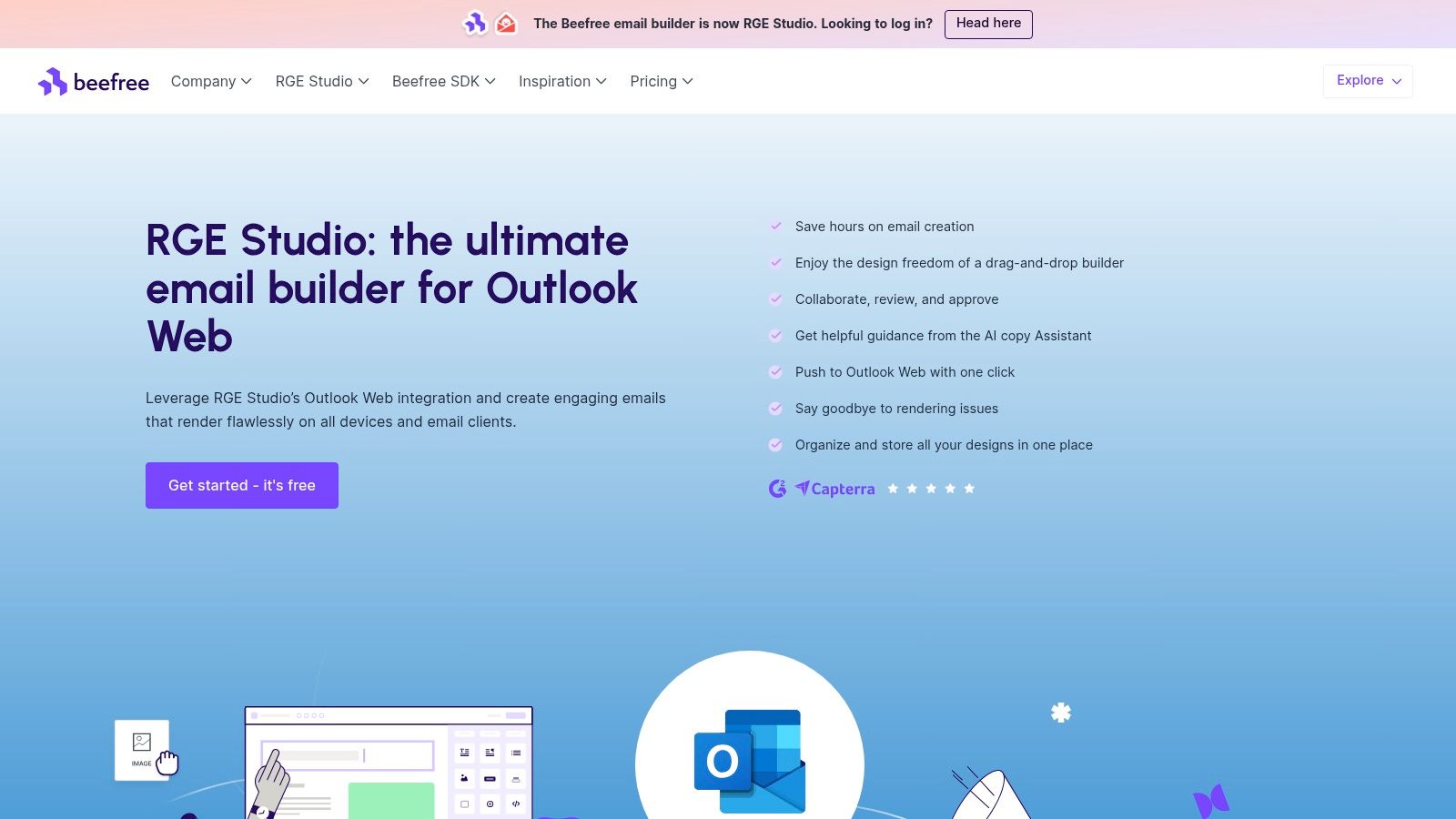
The limit is in the name of the integration. The cited path is Outlook on the web, not a promise that every desktop build will match the preview. Check classic Outlook before a host blasts a season announcement. Intricate layouts still need a rendering pass, and some collaboration features depend on the plan.
Use Beefree for recurring branded mail: a monthly guest-opportunity note, a listener newsletter, or a network update. Leave the individual "I heard your episode on pricing" pitch in a plain Outlook template. Mixing those jobs is how designed email becomes slow email.
The Beefree Outlook Web integration is the page to confirm the export steps. If your team never opens Outlook on the web, this integration is the wrong shortcut.
9. Constant Contact Email Templates
Constant Contact sits outside the compose window on purpose. It is an email-marketing service with campaign templates, a drag-and-drop editor, saved designs, contacts, and sending tools. You can reuse a draft or a sent campaign as a design. You cannot treat it as the store for an Outlook reply.
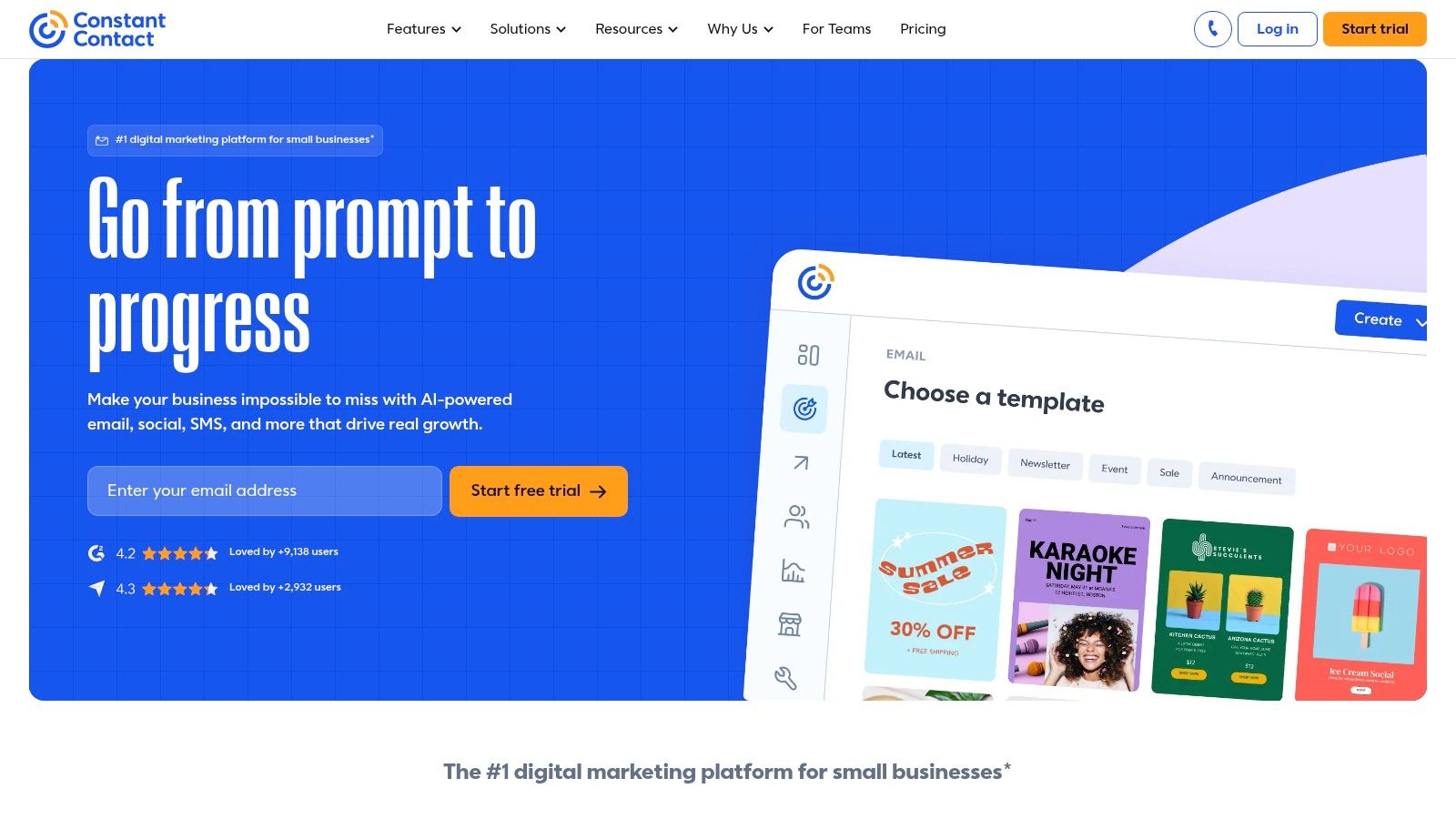
That split is healthy if you respect it. A show announcement to subscribers belongs here. A pitch to one host does not. List tools add tracking, branding, and bulk sending that make a personal note feel like a newsletter, and custom-coded emails cannot be saved as templates in this system. You would be maintaining two libraries anyway.
Keep the jobs separate:
- Subscribers: Season launches, listener notes, and promo mail.
- One person: Guest invites, producer follow-ups, and booking confirms in Outlook.
- Do not cross the streams: A campaign template will not remember the Outlook mailbox, signature, or thread you need for a reply.
Start at Constant Contact when the audience is a list you have permission to mail. For booking conversations, go back to items 1 through 5.
10. Microsoft's Outlook Template Guide
Before you install anything, read Microsoft's own how-to. It is not a pack of ready-made pitches. It is the map of full Mail Templates, short-snippet My Templates, and classic .oft files, including which Outlook client you are using.
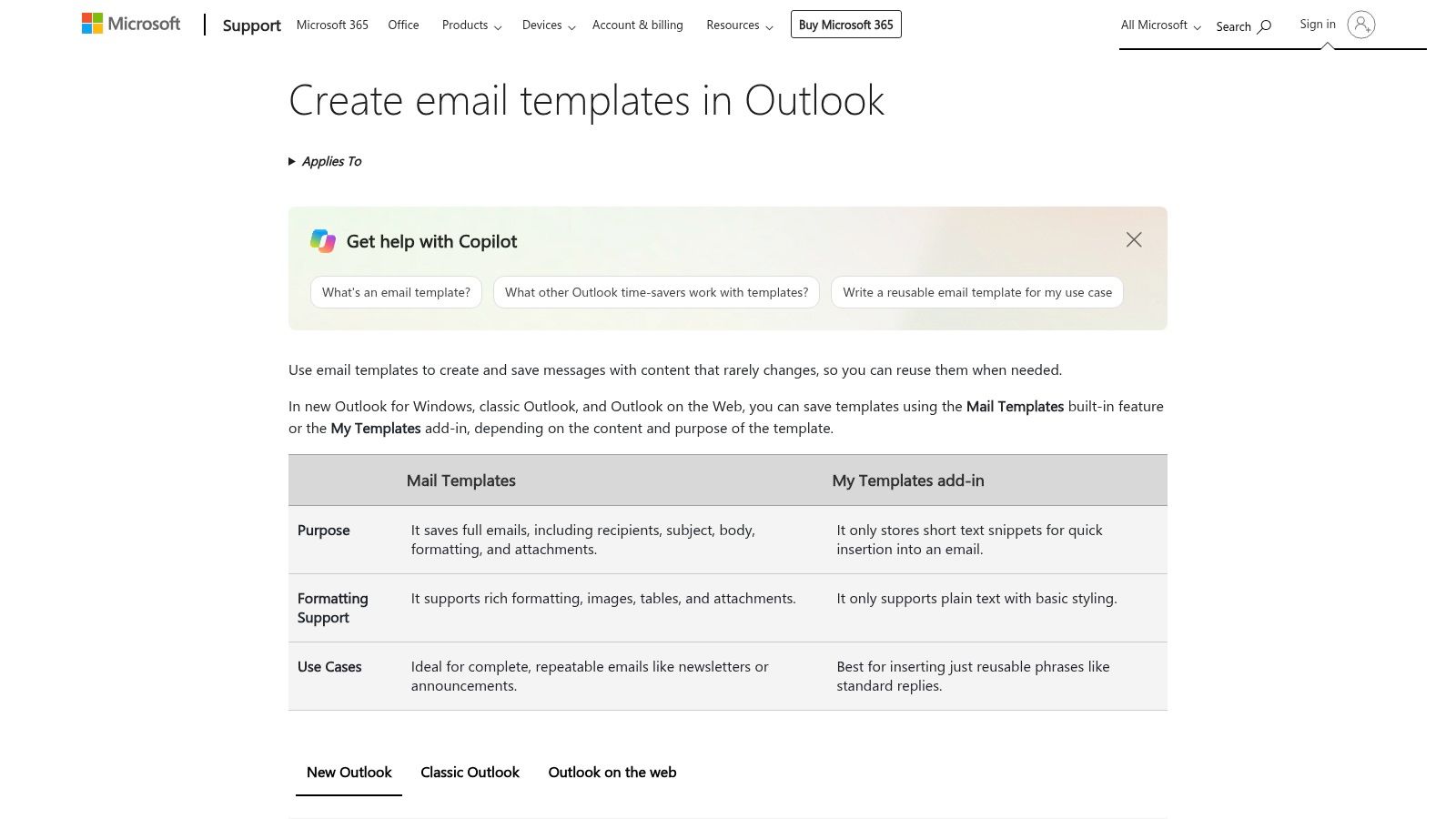
Create email templates in Outlook is the page that spells out the new Outlook path. You create a draft, choose Mail template, select Save email as template, name it, and later open it from Settings, then Mail, then Templates. The same documentation says Mail Templates and My Templates need a qualifying Microsoft 365 subscription, and that templates are meant for content that rarely changes. That last point is the whole strategy. Boilerplate stays. The sentence about this show's latest episode does not.
Availability still moves with the client and the license. A guide cannot store your one-sheet or police who edited the pitch. Pair it with a master copy outside Outlook, and keep an eye on how large an email template gets once images and attachments creep in. Heavy files fail without warning, then the guest never sees the ask.
Top 10 Outlook Email Template Resources Compared
| Tool | Best For | Core Features | Experience & Fit | Price / Value | Target Audience |
|---|---|---|---|---|---|
| Outlook Mail Templates | Reusable complete emails | Saves subject, recipients, formatting, and attachments ✨ | ★★★★★ Native Outlook option; templates may be account-specific | 💰 Included with qualifying Microsoft 365 plans | 👥 Individuals sending recurring full emails |
| My Templates | Short reusable snippets | Named text snippets inserted from a compose pane ✨ | ★★★★★ Quick for common replies; limited to short text | 💰 Available with qualifying Microsoft 365 plans | 👥 Outlook users reusing brief pitches or follow-ups |
| Shared Email Templates by Ablebits | Team template libraries | Shared folders, fillable fields, images, and attachments ✨ | ★★★★☆ More setup; supports complex, consistent messages | 💰 Free plan; paid access is per user | 👥 Teams standardizing outreach |
| Mailbutler Email Templates | Cross-client email templates | Placeholders, team sharing, and HTML Designer ✨ | ★★★★☆ Supports Outlook, Gmail, and Apple Mail; features vary | 💰 Advanced features may require a paid plan | 👥 Teams working across email clients |
| Toggles for Outlook | Standardized team workflows | Shared workflows, variable fields, recipients, and attachments ✨ | 🏆 Strong process controls; may be excessive for simple templates | 💰 Business Pro has a five-seat minimum | 👥 Teams with repeatable, approved email processes |
| Stripo | Branded newsletters and announcements | Drag-and-drop editor, gallery, HTML export, Outlook export ✨ | ★★★★☆ Flexible design; test layouts in Outlook | 💰 Free tier with export limits | 👥 Creators needing polished email designs |
| Litmus Email Templates Hub | Tested HTML starting points | Free template library; HTML export or code copying ✨ | ★★★★☆ Templates are reported tested across 100+ clients and devices | 💰 Free templates; Community account required | 👥 Users building newsletters or announcements |
| Beefree | No-code branded messages | Drag-and-drop builder, collaboration, Outlook Web export ✨ | ★★★★☆ Simple design workflow; desktop compatibility should be checked | 💰 Plan-dependent features | 👥 Nontechnical teams creating recurring branded emails |
| Constant Contact Email Templates | Subscriber campaigns | Campaign templates, drag-and-drop editor, contact tools ✨ | ★★★★☆ Broader marketing workflow, not Outlook one-to-one email | 💰 Separate marketing service; pricing varies | 👥 Marketers sending mailing-list campaigns |
| Microsoft's Outlook Template Guide | Choosing an Outlook template method | Explains full templates, snippets, and classic .oft files ✨ |
🏆 Official guidance across Outlook versions; not a template library | 💰 Free to read; some features require qualifying Microsoft 365 | 👥 Outlook users comparing template options |
Turn Templates Into Booked Interviews
Pick one primary method and one backup, then stop collecting tools. For a solo host or guest, Outlook Mail Templates is the primary for complete invitations and confirmations, and My Templates is the backup for a booking line you insert into a live reply. For a producer plus a booker, a shared add-in such as Ablebits or Toggles is the primary, and a native template is the backup when the add-in is blocked. Open Stripo, Litmus, or Beefree only when the message is an announcement people should recognize as the show. Constant Contact stays on the list side of that line.
Podcast outreach needs four saved pieces, not one giant template.
- Short pitch: Who you are, the topic, and one clear ask.
- Context line: A sentence about a recent episode, written fresh each time.
- Scheduling note: The link, the time zone, and what happens after they say yes.
- Polite follow-up: A nudge that restates the fit without restarting the pitch.
Let's Make A Podcast users can pair those Outlook drafts with a shareable one-sheet, pitch tracking, and timed follow-up drafts. The template holds the stable wording. The marketplace workflow holds the show, the fit, and the next date you intend to write again. That split is what keeps a reusable email from sounding reused.
A pre-send check that takes a minute
Before the first real send, confirm the From account, open every link, make sure the attachment is still attached, and read the personalization fields out loud. Keep a master copy in a shared doc so an Outlook update cannot be the only place the pitch exists. If you migrated a classic .oft file, send it to yourself from new Outlook and from the older desktop app. Formatting and files are the parts that lie.
Save the boilerplate. Rewrite the reason this show, this week.
One primary template, one backup snippet, and a follow-up you can send without hunting are enough to turn a repeating chore into a booking habit. Design tools can wait until the words already get replies.
Let's Make A Podcast is a marketplace and toolkit for hosts and guests who want interviews booked without rebuilding every email from scratch. Pair a solid email template for Outlook with its one-sheets, pitch drafts tied to recent episodes, and scheduling in one thread so the follow-up gets sent. Visit Let's Make A Podcast to find shows, prepare the pitch, and keep the booking moving.