How to Search for Podcasts: Find Shows That Fit Your Topic
You can talk about your topic for an hour without notes, but your target list is still a blank page. So you open the podcast app you listen in, type the topic into the search bar, and get forty results. Three look promising. One stopped publishing two years ago, one is a solo host who never talks to anyone else, and the third is a YouTube clip you can't find in your audio app anywhere.
That gap between finding a show and confirming you can reach it is where most searches go wrong. What follows is the routine I would run: search two platforms, narrow the query, filter hard on recency and format, then verify the contact route before writing a single word of outreach.
Table of Contents
- Compare Platforms Before You Pick Where to Search
- Start With a Topic Search in Your Podcast App
- Turn a Broad Topic Into Narrow Search Queries
- Filter Results by Recency and Episode Format
- Check That a Show Still Books Outside Guests
- Build Your Shortlist This Week
Compare Platforms Before You Pick Where to Search
No single app holds every show, and each platform ranks the same query differently. Choose where you search before you type, because that decision shapes the list you get back.
What Each Platform Is Good At
Apple Podcasts carries the largest catalog and answers both topic and show queries, but it leans on titles and creator-supplied metadata. A show can look like a perfect fit and turn out to be one episode on the subject from three years ago. Spotify adds episode-level search and recommendations on top of its library, though its catalog doesn't match Apple's and some shows live on only one of the two. YouTube is the strongest discovery surface for interview shows, because clips make recurring hosts and guests visible in seconds. Google reaches material the apps never index, including show websites, guest pages and published transcripts, at the cost of mixing in articles, listicles and ads.
| Platform | Strength for finding shows | Watch out for |
|---|---|---|
| Apple Podcasts | Large catalog with topic and show search | Search leans on titles and creator metadata; read episode descriptions |
| Spotify | Episode-level search and recommendations | Catalog differs from Apple; some shows appear on only one app |
| YouTube | Clips reveal recurring hosts and guests | Video title may differ from the audio feed; confirm audio availability |
| Google search | Finds show websites, guest pages and transcripts | Mixes articles and ads; check the date on each page |
Platform spread is the reason this matters. The Edison Research Podcast Consumer 2025 report found UK listeners use an average of 2.6 podcast platforms, and that in the U.S., 45% of weekly podcast consumers who had started a new show in the previous six months began with YouTube. Read those two figures together and the strategy writes itself: the place where a show gets found is often not the place where it gets heard.
Practical rule: Use YouTube to find the show, then confirm the audio feed in an app before you invest time. A clip proves the show exists. It doesn't prove you can subscribe to it, and it doesn't prove the host still books guests.
The working routine is a two-platform merge. Run the same query on Apple Podcasts and YouTube, match results by show name plus host name, and collapse duplicates into one candidate record. If you're unsure which database indexes what, this comparison of Podchaser and Listen Notes covers the differences that affect search.
Start With a Topic Search in Your Podcast App
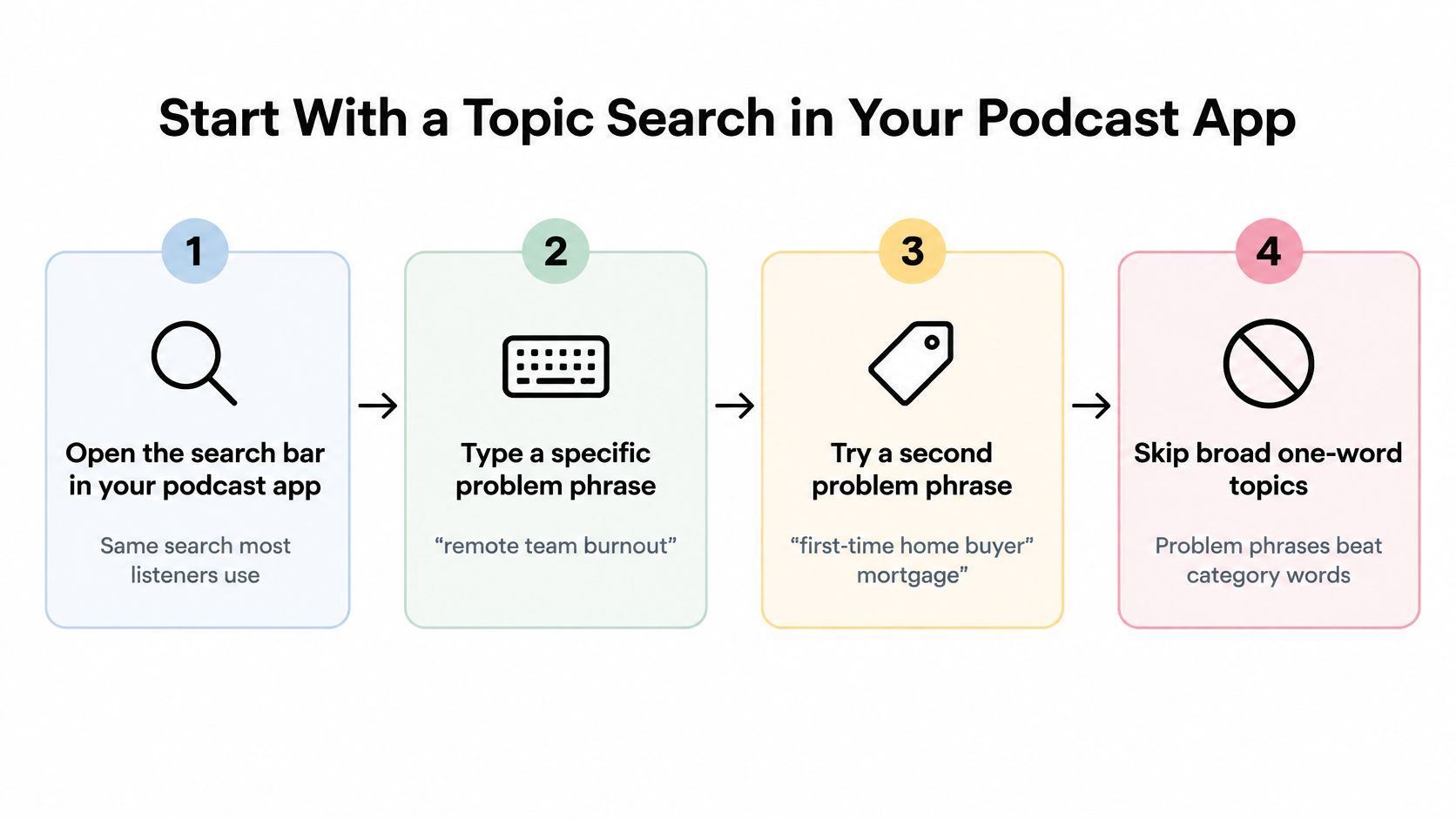
Open the app you listen in, tap the search bar and type the problem, not the category. "Remote team burnout" returns shows that named the subject. "Business" returns every show that ever mentioned work.
The search bar is where shortlists get built. Listener surveys routinely put typed-in topic search alongside word of mouth as the two main ways people find a new show, and the two routes answer different questions. A recommendation tells you a show exists. A search result tells you what the show claims to cover before you hear a single episode.
Neither tells you the two things that matter for outreach: whether the show lives in an audio app you can subscribe to, and whether it still books guests. A result proves existence, nothing more, so treat every candidate as unverified until you have checked both.
Four Steps That Beat a Category Browse
- Quote the phrase if the app allows it. Wrapping the problem in quotation marks stops the search from matching loose word pairs, which is the difference between ten relevant shows and two hundred partial matches.
- Open ten results, not the first three. Ranking favors shows with large audiences and heavy download counts, so the closest fit for a narrow problem routinely sits at position seven or eight. A show with a small catalog and the right topic beats a chart fixture that only brushes it.
- Read titles and descriptions in the plural. You want the topic appearing across several episodes, not once in an old episode that happens to share your keyword.
- Save three to five candidates into a list so you can compare them side by side rather than from memory. Check each saved show's episode dates as you go, because a perfect title match on a feed that stopped publishing last year is a dead lead.
Metadata is thinner than it looks. Research using the TREC 2020 Podcasts Track found automatically transcribed episode content more reliably useful for search than creator-supplied metadata, so when an app surfaces a description with real detail, read it, and search distinctive technical phrases inside episode descriptions where the platform supports it.
The search has worked when at least three shows name your topic in their episode titles and their descriptions show an interview format. Stop at the first decent result, or trust a follower count as proof of quality, and you'll spend the next hour on shows that can't help you.
Turn a Broad Topic Into Narrow Search Queries
Broad terms fail for a predictable reason. "Leadership podcast" returns shows built around a general theme, written for a general listener, with guests chosen for prominence rather than for your specific problem. The fix is dimensional, not clever wording: build each query from the topic, the audience, the guest type, the format and the recency, and add one dimension at a time.
The Dimensions That Change Results
| Dimension | Example query | What it tends to find |
|---|---|---|
| Topic | remote team burnout | shows built around the problem itself |
| Audience | burnout advice for managers | shows aimed at your listener's role |
| Guest type | burnout interview with a psychologist | shows that bring in outside experts |
| Format | remote work interview podcast | interview shows rather than solo episodes |
| Recency | remote work podcast, filtered to the last 90 days | shows still publishing |
Use two or three dimensions per query. Combining all five usually returns nothing, and an empty result tells you less than a mediocre one. Run a second query when the first fails rather than adding more words to a query that already isn't working.
Keep a note of which combinations returned active interview shows. A combination that works for one topic usually works for the next, and that note becomes the search routine you stop having to reinvent.
The reason to bother with precise queries is that the louder discovery channels optimize for visibility, not fit. Edison Research's top 10 findings of 2025 reports that 57% of U.S. podcast listeners say they rely on social media recommendations, against 54% who rely on friends and family. Those routes surface popular clips efficiently. They don't answer which active interview show covers a narrowly defined problem from a specific professional perspective.
Social recommendations are the fastest way to hear about a show and a weak way to find the right one. Visibility and relevance are different measurements.
One rule of thumb covers most dead ends. If a query returns mostly solo shows or narrative series, add "interview" or "guest" and search again. You're not looking for a show about your topic. You're looking for a show that talks to people about your topic.
Filter Results by Recency and Episode Format
Results are a starting pile, not a shortlist. Open the sort control and set it to newest first, then start cutting. This is the one pass where you check dates and episode counts, so do it thoroughly and move on.
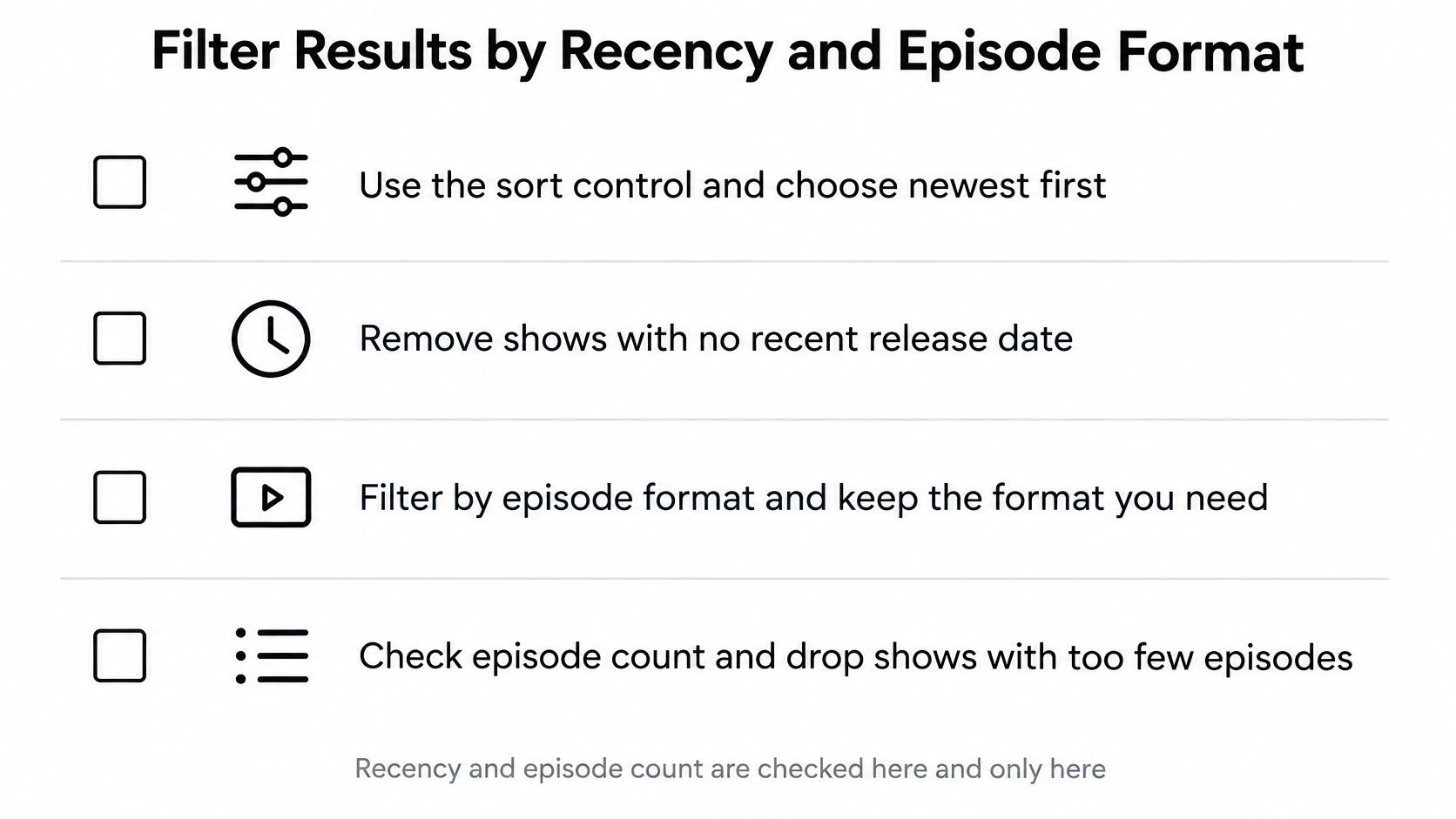
Recency first. Drop anything without a release in the last 90 days. A show that has stopped publishing won't answer your message, however good the back catalog is. QuickReel's 2025 podcast discovery survey sets the same bar, requiring at least two recent episodes, ideally within the last 90 days, before any outreach. If your app lacks a date filter, check the dates by hand on the first ten results, which this guide to whether a podcast is still active walks through.
Episode count next. A show with fewer than ten episodes may be a trial run with no track record of booking or publishing. It isn't disqualified, but it deserves a closer read before you commit.
Format after that. Read the last three episode descriptions. Look for a guest name in the title or a "with" line. Solo shows and narrative series can be excellent listening and almost never book outside voices, so mark them as listening-only and move on.
When the App Has No Filters
Check the language and episode length yourself if the app offers those controls, and if it doesn't, read them off the descriptions. Sorting by relevance hides dormancy, so a relevance-ranked list needs the date check done by hand rather than trusted.
Hard filter: no release in the last 90 days, no pitch. A dormant feed is the most common false positive in podcast search.
Count the survivors before you continue. A useful shortlist usually holds 10 to 15 shows. Fewer than five means the queries need another dimension, not that your topic is too narrow.
Check That a Show Still Books Outside Guests
A show that published last week and lists a contact email can still be a dead end. Plenty of hosts interview only co-hosts, returning friends, or people from their own network, and a show like that will never reply to a stranger however well you pitch. Confirming the booking pattern is the step that saves the most wasted effort.

Three Checks Before You Write a Word
- Look for a pitch page. Scan the show's website for "pitch", "be a guest" or "contact". A host who wants outside guests usually says so somewhere public.
- Fall back to the show description. If there's no page, check the description for an email address or a form link. Podcast apps display this, and it's often the only published route.
- Read one or two recent guest episodes. Confirm the host talks to people outside their own circle. The names and bios in those episodes tell you more than any about page.
The most common mistake is treating a past guest appearance as an open booking policy. A host who had one outside expert on last spring may be running a solo format now, and the appearance proves only that it happened once.
Expect a meaningful share of candidates to fail. When we read 383 public podcast RSS feeds from a 408-show directory, 246 of those shows (60%) had published in the last six months and printed a contact route a stranger can use. That leaves a large remainder that either stopped publishing or never told anyone how to reach them, so dropping failed candidates isn't pessimism. It's the normal outcome.
Record the contact route and the date you checked it next to each show, so the information is current when you send the message. Only note routes a stranger can use, such as a public email address or a form, never a personal contact. If you're unsure whether a specific format books guests at all, this explanation of whether a podcast interviews guests covers what to look for in the feed.
Build Your Shortlist This Week
A shortlist is a filter, not a trophy case. Pull 10 to 15 candidates from at least two platforms before you judge any of them, because discovery and availability are different questions. A show you found on YouTube may not sit in your audio app, and a show Apple ranks first may be invisible on Spotify, so a single-platform list is mostly a list of that platform's biases.
For each candidate, record six fields in one place:
- Show URL: the canonical site or feed, not the clip you found it through.
- Latest release date: taken from the episode list, not the show description.
- Episode count: a rough total is enough to spot a trial run.
- Host name: the person who decides who comes on.
- Guest evidence: the last two interview episodes, with titles, so you can reference one later.
- Contact route: the public email or form, plus the date you verified it.
Score every candidate from 1 to 3 on four dimensions: topical match, recency, outside-guest evidence and reachable contact path. Keep only the shows that score 3 on recency and at least 2 on the other three. The rule is strict on recency because a dormant show fails regardless of fit, and looser elsewhere because a strong topical match with a slightly awkward contact route is still worth a pitch.
Pitch the top three to five shows, one at a time, referencing a recent episode and giving one specific reason the topic suits their audience. Track searches, qualified shows, pitches, replies and bookings as separate counts, so you can see which step is failing. Five pitches with no replies is a pitch problem. Twenty searches with no qualified shows is a query problem, and the fix sits in the dimensions, not the email.
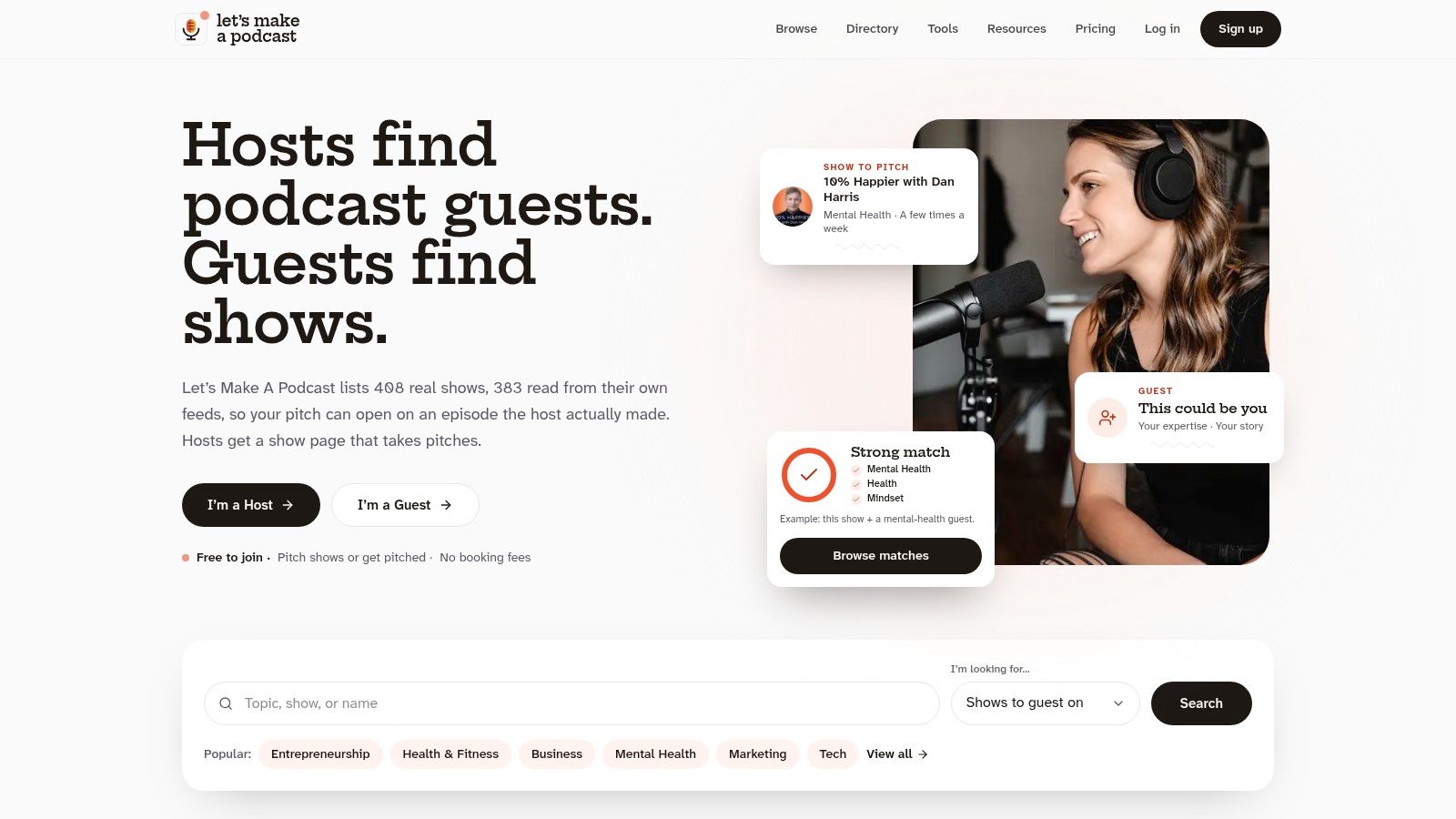
If you want another place to browse niche shows alongside the apps and platforms above, the Find podcasts tool searches all 408 shows in the Let's Make A Podcast directory by niche, which is faster than guessing at keywords. You do not have to build the candidate record by hand from four different apps: the free search tool needs no account, searches real podcasts by topic, and shows which ones are still publishing, which publish a contact route, and which show evidence they book outside guests. Start with one problem phrase from your own topic and see what survives at Let's Make A Podcast.